
TL;DR
A slow Showit website can cost you visitors, enquiries and visibility in search and AI. The biggest issues usually come from oversized images, heavy videos, unnecessary plugins, extra scripts, redirects and unoptimised blog content.
Start with your images. Check that your design is upgraded (green check beside your site name in Showit), because upgraded designs now serve images as WebP automatically. Then make sure images are sized sensibly and your blog images are optimised. After that, review videos, plugins, embeds and broken links.
Work through these checks page by page, focusing on the issues that actually matter, so your site is faster, cleaner and easier for search and AI to read.
Introduction
Your Showit site can be stunning.
It can also be painfully slow.
And if your pages take too long to load, people leave. Search struggles. AI has less reason to recommend you.
The good news? Most slow Showit websites are not broken beyond repair. They are usually weighed down by a handful of fixable issues, especially oversized images, heavy videos, too many extras and missed SEO settings.
This guide walks you through how to speed up your Showit website, what actually matters and how to find the issues faster.
Updated October 2026: Showit now serves WebP images automatically on upgraded designs and has raised its upload limits. This post reflects those changes.
Why website speed matters
Website speed is not just a technical metric.
It affects how people experience your site.
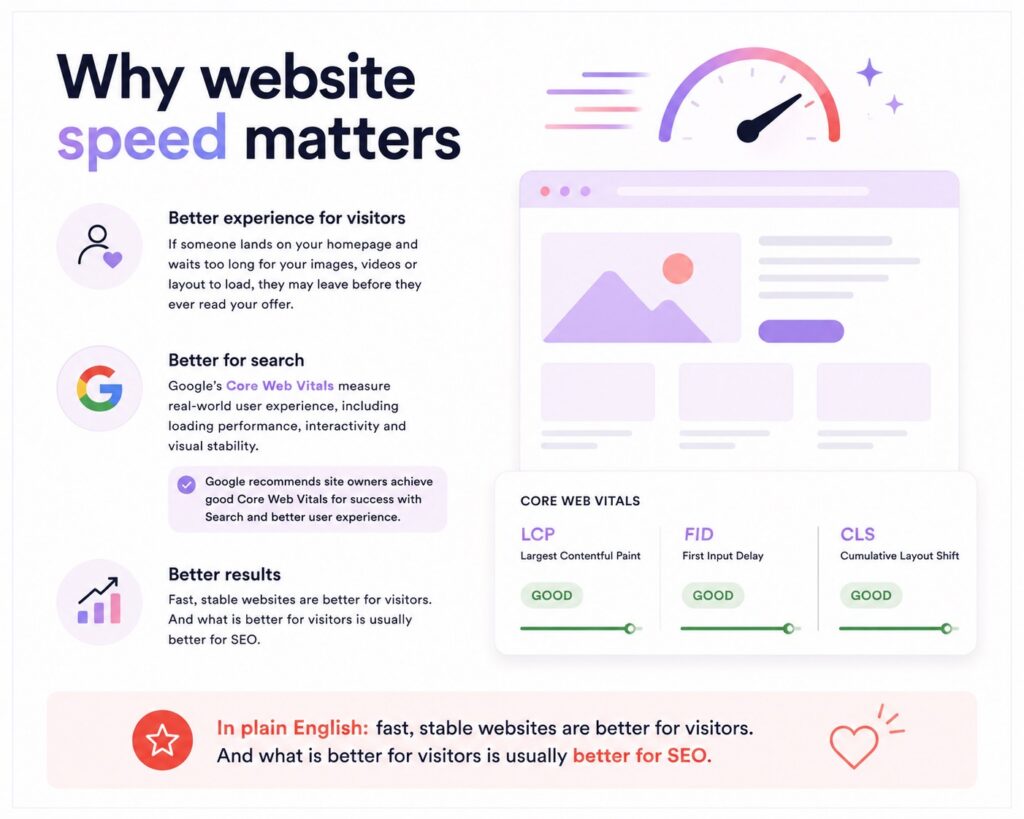
If someone lands on your homepage and waits too long for your images, videos or layout to load, they may leave before they ever read your offer.
It also matters for search.
Google’s Core Web Vitals measure real-world user experience, including loading performance, interactivity and visual stability. Google recommends site owners achieve good Core Web Vitals for success with Search and better user experience.
In plain English: fast, stable websites are better for visitors. And what is better for visitors is usually better for SEO.

Is Showit slow?
Showit itself is not the enemy.
Showit is a visual website builder, which means you have a lot of creative freedom. That is the whole point.
But creative freedom can create speed problems when pages are built with oversized images, heavy backgrounds, embedded videos, unnecessary scripts or too many decorative elements.
A slow Showit site usually comes down to how the site has been built, not the fact that it was built on Showit.

The biggest Showit speed issue: images
Images are usually the first place to look.
Google’s web.dev image performance guide says images are often the heaviest and most common resource on the web. That means image optimisation can have a major impact on page speed.
For Showit users, this matters even more because the platform is popular with photographers, designers and creative businesses. Beautiful visuals are part of the brand.
But beautiful should not mean enormous.
If you upload huge images across every page, your site has to work harder than it should. That can slow down your homepage, galleries, service pages and blog posts.
For more information on Showit image check out our article Showit Images SEO: The Complete Guide to Optimising Images for Search and AI
How to fix Showit images
Upgrade your design for automatic WebP
Showit now gives visitors a smaller WebP version of your JPG and PNG images on upgraded designs. In Showit’s testing that meant 44% less image data on mobile and 38% less on desktop for a typical page. You don’t have to convert or re-upload anything. (Showit’s announcement)
To check if your site has the new image delivery, look for the green check beside your site name in Showit. If it’s there, your design is upgraded and WebP happens automatically. If it isn’t, preview and review your design before you upgrade, and pay extra attention to any custom code. That’s where most upgrade problems show up.
Before uploading images to Showit:
☐ Resize images to suit where they appear.
☐ Use JPG for most standard photos.
☐ Use PNG only when transparency is needed.
☐ Use SVG for logos and icons where appropriate.
☐ Compress blog images before uploading (Basic Blog limit is 4 MB). Main-page images on upgraded designs are served as WebP automatically.
☐ Avoid uploading images that are much larger than their display size.
☐ Check that images are not blurry, stretched or pixelated.
Showit also recommends JPG for standard photos and notes that PNGs and GIFs are much larger file types with more specific use cases.

1. Use the right image format
Showit supports common file formats including JPG, PNG, GIF and SVG for different media types.
For most Showit websites:
Use JPG for photos.
This is usually the best option for standard website images.
Use PNG when you need transparency.
Great for certain graphics, but heavier than JPG.
Use SVG for logos and icons.
Best for simple vector graphics that need to stay sharp.
The mistake is using PNG for everything.
That is how you end up with a pretty website that loads like it is carrying bricks.
2. Consider how much video content you have
Videos can look incredible.
They can also slow your site down quickly.
If you use video on your Showit website, ask whether it genuinely improves the page or just makes it heavier.
Use video carefully on:
☐ Hero sections.
☐ Background sections.
☐ Portfolio pages.
☐ Sales pages.
☐ Blog posts.
If the video is important, keep it. If it is decorative, question it.
Showit now accepts MP4 uploads up to 20 MB. That gives you more room, but a 20 MB background video is still a lot for a phone to load. Keep loops short and light, and embed longer videos instead.
A fast page that converts is better than a cinematic page nobody waits for.
3. Reduce unnecessary plugins
Showit websites use WordPress for blogging, which means plugins can become part of your speed problem.
Plugins are not bad.
Too many plugins are.
Before adding another plugin, ask:
☐ Do I actually need this?
☐ Is it well maintained?
☐ Does it affect page speed?
☐ Is there a simpler way to get the same result?
If a plugin is not helping your business, your SEO or your user experience, it may not deserve a place on your site.
4. Limit extra scripts and embeds
Pop-ups, tracking scripts, forms, widgets, animations and embeds can all add weight to your pages.
Some are useful.
Some are just noise.
Review anything extra you have added to your Showit website, especially:
☐ Pop-ups.
☐ Chat widgets.
☐ Embedded forms.
☐ Third-party booking tools.
☐ Tracking scripts.
☐ Animations.
☐ Embedded videos.
The goal is not to strip your site bare.
The goal is to keep what helps and remove what slows people down.
5. Check your redirects
Redirects are sometimes necessary.
But too many redirects create extra steps before a page loads.
This is especially common if you have changed page URLs, moved blog posts or rebuilt your website.
Check for:
☐ Old links pointing to redirected pages.
☐ Chains of redirects.
☐ Broken links.
☐ Buttons linking to outdated pages.
Clean links make your site easier for users, search and AI to follow.
6. Don’t forget your blog
This is where a lot of Showit users get caught.
Your main Showit pages and your WordPress blog do not always behave the same way.
Showit’s own image optimisation help explains that Showit automatically optimises images used on main website pages, while blog images are handled separately. That means image-heavy blog posts still need proper optimisation before upload. If you use Showit’s Basic Blog, each image upload also needs to be under 4 MB.
If your blog posts are full of huge images, your site can still feel slow even if your main pages are tidy.
For every blog post, check:
☐ Images are resized.
☐ Images are compressed.
☐ File names are descriptive.
☐ Alt text is written properly.
☐ The featured image is not oversized.
☐ The page still loads well on mobile.
Keep improving your Showit website! Check out our The Ultimate Showit SEO Checklist .

How to test your Showit website speed
You can test your page speed using tools like:
☐ Google PageSpeed Insights.
☐ Google Search Console Core Web Vitals.
☐ GTmetrix.
Do not panic if you get a scary-looking report.
Speed tools often give you a long list of technical warnings. Some matter. Some are platform limitations. Some are not worth losing your mind over.
The important question is:
What can you actually fix?
That is where most site owners get stuck.
How to work through these issues
You can work through every speed and SEO issue manually.
You can check images, page titles, headings, broken links, metadata, schema, social images and technical settings one page at a time.
The easiest way to do that is page by page.
Look for:
☐ Oversized images.
☐ Missing image SEO.
☐ Poor filenames.
☐ Missing alt text.
☐ Broken buttons and links.
☐ Missing page titles.
☐ Weak meta descriptions.
☐ Heading issues.
☐ Schema gaps.
☐ Showit-specific SEO issues generic tools miss.
Instead of making a 400-issue panic list, work through your site page by page.
Fix the homepage.
Then the services page.
Then the contact page.
Page by page. Fix by fix.
Final thoughts
A slow Showit website is not just annoying.
It can cost you visitors, enquiries and visibility.
But most speed issues are fixable.
Start with your images. Then check videos, plugins, scripts, redirects and your blog. Once the obvious weight is gone, your site becomes faster, cleaner and easier for search and AI to understand.
Your Showit site is already beautiful.
Now make it fast enough to be found.


