TLDR: Showit Image SEO
Images can make your Showit website look beautiful, but they can also slow your site down and make it harder for Google and AI to understand your content.
For most Showit images, use JPEG because it keeps photos looking good without creating huge file sizes. Use PNG only when you need transparency and SVG for simple logos or icons.
Before uploading images to Showit, resize them, compress them and rename the file with a clear, descriptive filename. Changing the image name inside Showit does not properly change the actual file name for SEO, so the filename needs to be fixed before upload.
You should also add helpful alt text that describes the image naturally. Don’t stuff keywords into every image. Good image SEO is about helping search engines, AI tools and real people understand what’s on the page.
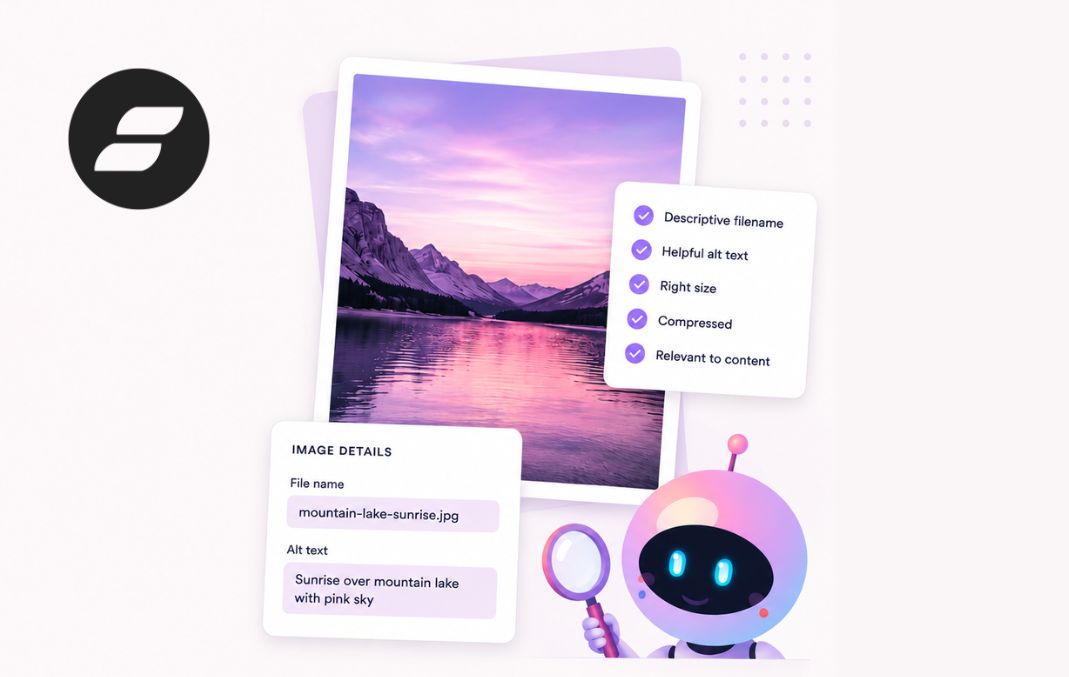
A well optimised Showit image should be:
- The right size
- Compressed
- In the correct file format
- Named clearly
- Given helpful alt text
- Not blurry, stretched or oversized
- Relevant to the content around it
Image SEO will not magically rank your website overnight, but it is one of those small SEO improvements that adds up over time. Better images can help your pages load faster, improve user experience and give search engines better context.
Introduction
You spend hours choosing the perfect images for your Showit website.
But have you spent five minutes making sure search and AI can actually understand them?
For most business owners, the answer is no.
That’s a problem because image optimisation is one of those small SEO improvements that seems insignificant on its own but adds up over time. Ten little improvements across your website can make a huge difference in how easily you’re found.
I’ve personally published blog posts without optimising the images, gone back later to fix them and watched those pages climb in rankings.
So yes, it matters.

What image formats does Showit support?
Unlike many platforms, Showit doesn’t currently support WebP uploads.
Instead, you’ll typically be working with:
- JPEG (JPG)
- PNG
- SVG
Which format should you use?
For most photographs and website images, JPEG is the best choice.
Why?
Because they keep the image quality high without making the file too large.
Showit automatically compresses JPEG files, helping reduce file sizes and improve page speed.
However as an SEO specialist I recommend compressing anyway. I’ve tested the Showit image compression I think compressing as well yields better results.
PNG files are useful when you need transparency, while SVGs are ideal for logos and icons. However, they aren’t the best option for every image.
As a general rule:
- Use JPEG for photos.
- Use PNG only when transparency is required.
- Use SVG for vector graphics like logos and icons.
What size should Showit images be?
Image size matters because oversized images can slow your site down, while images that are too small can look blurry or pixelated.
As a general rule, your image should be large enough to look sharp in the space where it appears, but not so large that it slows the page down.
For most Showit websites:
☐ Full-width banner images should usually be around 2000px to 2400px wide.
☐ Standard content images usually do not need to be wider than 1200px to 1600px.
☐ Blog images usually work well around 1200px wide.
☐ Small icons and decorative graphics should be much smaller.
☐ Avoid uploading images larger than 3000px wide unless there is a very specific reason.
☐ Make sure images are not blurry, stretched or much larger than their display size.
This is one of the areas FastaSEO checks for you.
FastaSEO looks for images that are unnecessarily oversized, too small for how they are displayed or likely to cause quality issues. Instead of guessing whether an image is the right size, you can work through your site page by page and fix the images that actually need attention.
The goal is simple: sharp images, faster pages and fewer SEO issues hiding in your Showit site.
Showit’s dirty little secret about image filenames
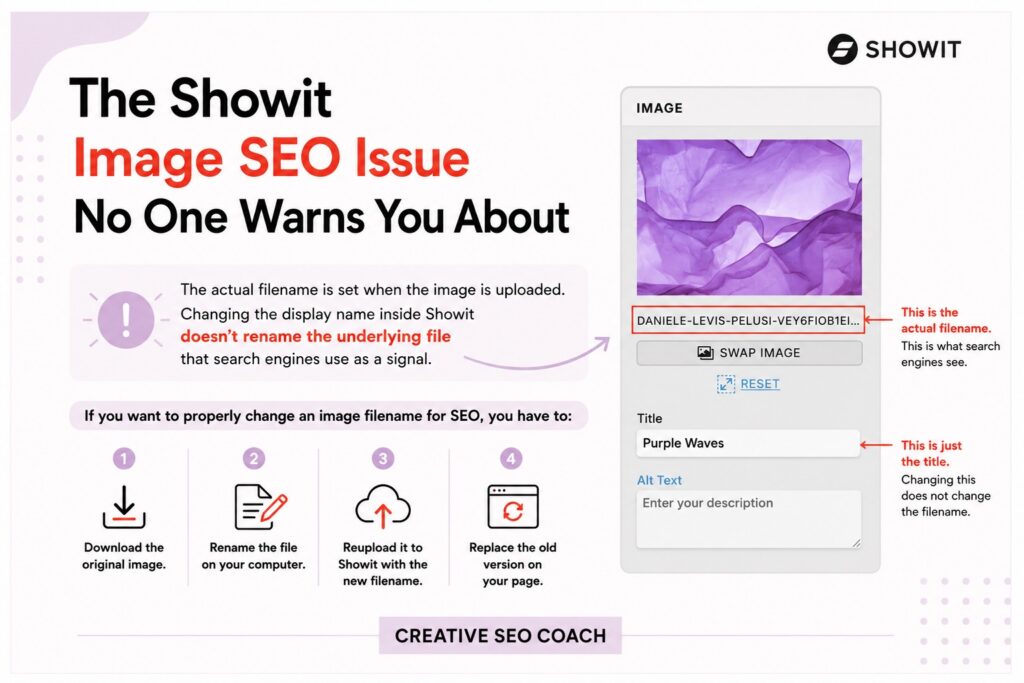
Here’s something that catches almost every Showit user by surprise.
Showit lets you edit an image’s name inside the platform, making it look like you’ve updated the filename for SEO purposes.
Unfortunately, that isn’t how it works.
The actual filename is set when the image is uploaded. Changing the display name inside Showit doesn’t rename the underlying file that search engines use as a signal.
If you want to properly change an image filename for SEO, you have to:
- Download the original image.
- Rename the file on your computer.
- Reupload it to Showit with the new filename.
- Replace the old version on your page.
If you have dozens or even hundreds of images, this quickly becomes one of the most frustrating parts of optimising a Showit website.
That’s one of the reasons I recommend FastaSEO. Instead of manually hunting through your site trying to work out which images need attention, it helps you identify image SEO issues quickly and work through them page by page, saving hours of repetitive work and making it much easier to optimise your Showit website correctly.
How do we know image optimisation actually matters?
Image SEO isn’t a theory. It’s something that Google itself recommends.
According to Google’s Image SEO documentation, you should use descriptive filenames, write helpful alt text and make it easy for Google to understand the images on your page. Google also recommends placing images near relevant text and ensuring they’re high quality and crawlable. These signals help Google better understand your content and can improve how your images appear across Search and Google Images.
The wider SEO industry agrees.
SEO software Semrush recommends using descriptive filenames before uploading your images, writing accurate alt text, compressing files for faster loading and choosing the correct image format as core image SEO best practices.
SEO expert Neil Patel also highlights the importance of optimising image filenames, alt text, dimensions and file sizes to help search engines better understand your content and improve the overall user experience.
And from my own experience as an SEO specialist, I’ve seen the impact first hand.
I’ve published blog posts, forgotten to optimise the images, then gone back later to rename the files, add proper alt text and improve the image SEO. In many cases, I’ve watched those pages improve in rankings afterwards.
Does that mean changing one image filename will suddenly send you to the top of Google?
No.
But SEO is often the result of dozens of tiny improvements that compound over time. Better headings, better internal links, better page titles and better image optimisation all work together. Each one might only move the needle by 1%, but when you stack enough of those improvements together, the results can be significant.
That’s why I recommend treating image optimisation as a standard part of publishing every page and blog post, not something you’ll “fix later.”

Why image SEO matters
Image SEO matters for two big reasons: speed and understanding.
1. Images are usually the heaviest part of your website
Images are often the biggest files on a page.
That means they are one of the most common reasons a website feels slow. Google’s web.dev image performance guide says images are often the heaviest and most common resource on the web, so optimising them can significantly improve website performance.
This matters because slow sites create a worse experience for visitors.
If someone clicks on your website and the page takes too long to load, they may leave before they ever see your offer. That can hurt your enquiries, sales and SEO.
Google also measures real-world user experience through Core Web Vitals. These include loading performance, interactivity and visual stability. Google says good Core Web Vitals align with what its ranking systems seek to reward.
So when your images are too large, the problem is bigger than file size.
Oversized images can slow down your page, hurt the user experience and make your website harder to compete with in search and AI.
2. Bots need context
Bots are automated programs that scan websites so search engines and AI systems can understand what is on each page. They read your content, follow links and collect signals that help decide when your site should appear in search or AI answers.
Humans can look at an image and understand it instantly.
Bots need more context.
Google uses signals like the surrounding page content, captions, image titles, filenames and alt text to understand what an image is about. That’s why image optimisation matters.
If your image is uploaded as IMG_4829.jpg with no alt text, you are making search and AI work harder. If the same image is uploaded as showit-seo-checklist-example.jpg with clear alt text, you are giving bots useful information they can actually use.
3. Bad optimisation can work against you
Image SEO is not about stuffing keywords into every filename and alt text field.
Google defines keyword stuffing as filling a page with keywords or numbers to manipulate rankings. That applies to bad SEO habits across a page, including image fields when they are used unnaturally.
If every image has the same keyword forced into it, that does not look helpful.
It looks manipulated.
Good image optimisation describes the image accurately and naturally. It gives search and AI useful context without trying to cheat the system.
Bad alt text:
“Showit SEO Showit SEO Showit SEO website SEO best Showit SEO”
Better alt text:
“Showit homepage design displayed on a laptop.”
The goal is not to trick search engines.
The goal is to help them understand your content properly.
4. Small fixes compound
Image optimisation rarely feels urgent.
That is why so many people skip it.
But SEO is often the result of many small improvements working together. A better filename. Clearer alt text. A smaller file size. A sharper image. A faster page.
Each fix might feel tiny on its own.
Together, they make your website easier to read, faster to load and more useful for the people you want to reach.

Showit SEO Image Checklist
An SEO friendly image should meet all of these requirements:
Quick Showit image SEO checklist
Before you publish a page, check every image.
☐ The image is the right size for where it appears.
☐ The file has been compressed where needed.
☐ The file format makes sense: JPEG, PNG or SVG.
☐ The filename describes the image.
☐ The filename uses dashes, not underscores.
☐ The image has helpful alt text.
☐ The alt text describes the image naturally.
☐ The alt text is not stuffed with keywords.
☐ The image is not blurry, stretched or pixelated.
☐ Important text is not trapped inside the image.
☐ The image supports the content around it.
The process of optimizing an image for Showit
Let’s break it down.
1. Resize your images
Don’t upload a 7000 pixel image if it’s only displayed at 800 pixels wide.
Oversized images slow down your website and provide no visual benefit.
2. Compress them
Large file sizes hurt performance.
Fortunately, Showit automatically compresses JPEG images, which is another reason they’re often the best choice.
3. Choose the right format
For most images, use JPEG.
Only use PNG when you genuinely need transparency and SVG for logos or icons.
4. Rename the file
Before uploading, rename files from something like:
IMG_4829.jpg
to:
showit-seo-checklist.jpg
This gives search and AI another useful signal about your content.
5. Upload the image
Once it’s properly prepared, upload it to your Showit site.
6. Write descriptive alt text
Alt text should accurately describe the image in context.
Good example:
“Woman smiling designing a Showit website on a laptop.”
Poor example:
“image1”
Or simply repeating the filename.
Remember, alt text exists to help bots read your content and improve accessibility for users who rely on screen readers.
Doing this manually takes time
If your website has 10 pages and 20 images per page, that’s 200 images to review.
For every single one, you’ll need to:
- Resize it.
- Compress it where needed.
- Choose the correct format.
- Rename the file.
- Upload it.
- Write descriptive alt text.
- Check that it displays correctly.
It’s repetitive work and it’s surprisingly easy to miss something.
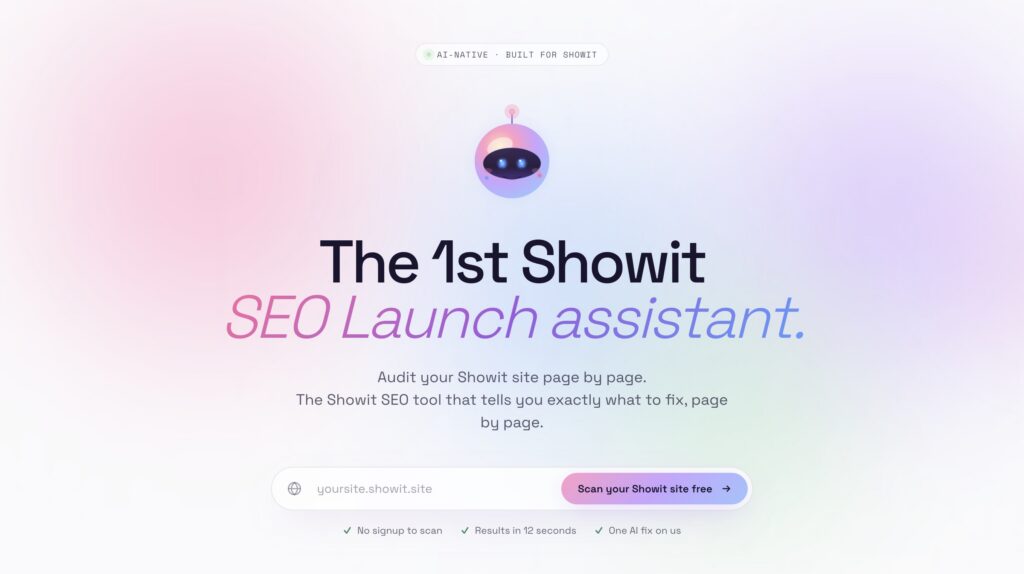
FastaSEO is the best tool for optimizing your Showit website
If you’re using Showit, I recommend FastaSEO.
It’s the only SEO tool built specifically for Showit and checks whether your images follow SEO best practices. It helps you find missing alt text, poor filenames, oversized images and other issues that are easy to overlook when working manually.
Instead of guessing whether you’ve done everything correctly, you can work through your site page by page and fix issues with confidence.
Think of it as having an SEO specialist reviewing your images before you publish.
Your images already look great.
Now make sure search and AI can read them too.
Showit Image SEO FAQs
Does changing the image name inside Showit help SEO?
Not properly. Showit lets you edit the image name inside the platform, but this does not change the actual uploaded file name that search engines can use as a signal. To properly rename an image for SEO, rename the file on your computer before uploading it to Showit.
What is the best image format for Showit?
For most images, JPEG is the best choice. It works well for photos because it keeps image quality high without creating huge file sizes. PNG is best when you need transparency and SVG is best for simple logos or icons.
Does Showit support WebP images?
Showit does not currently support WebP uploads in the same way some other platforms do. For most Showit users, JPEG, PNG and SVG are the main image formats to work with.
What size should Showit images be?
It depends on where the image appears. Full-width banner images are usually around 2000px to 2400px wide. Standard content images usually do not need to be wider than 1200px to 1600px. Blog images usually work well around 1200px wide. Avoid uploading huge images unless there is a specific reason.
Do all Showit images need alt text?
No. Important images should have helpful alt text, but purely decorative images do not need keyword-heavy alt text. Alt text should be used when it helps describe the image and support the content on the page.
What should I write in my alt text?
Write a simple, natural description of the image. Focus on what is actually in the image and how it relates to the page. For example, “Showit website homepage displayed on a laptop” is much better than “Showit SEO Showit SEO best Showit SEO website.”
Should I put keywords in my image alt text?
Only if they fit naturally. Alt text should not be used to force keywords into every image. Keyword stuffing can make your site look spammy and it does not create a good experience for users.
Why do image file names matter for SEO?
Image file names give search engines and AI tools another clue about what the image is showing. A file called showit-seo-checklist.jpg is more useful than a file called IMG_4829.jpg.
Should I use dashes or underscores in image file names?
Use dashes. A clean image filename would look like showit-seo-checklist.jpg, not showit_seo_checklist.jpg.
Can oversized images slow down my Showit website?
Yes. Large image files are one of the most common reasons websites load slowly. If your images are much larger than they need to be, they can hurt page speed, user experience and SEO.
Does Showit compress images automatically?
Showit does compress JPEG images, but it is still a good idea to resize and compress images before uploading them. This gives you more control and can help improve page speed.
Should I reupload old images with better file names?
If the image is important and has a poor filename, it can be worth reuploading it with a better name. This is especially useful for key images on important pages or blog posts. You do not always need to fix every tiny decorative image.
Can Google and AI read text inside images?
You should not rely on text inside images for SEO. Important text should be added as real text on the page, not trapped inside a graphic. Real text is easier for users, search engines and AI systems to understand.
How often should I optimise images?
Every time you publish a new page or blog post. It is much easier to resize, compress, rename and add alt text before publishing than to go back and fix hundreds of images later.
What is the easiest way to find Showit image SEO issues?
You can manually check each page, but that takes time. FastaSEO helps Showit users find image issues like missing alt text, poor filenames and oversized images so you can fix them page by page.


