
TLDR: Blogging supports SEO when your posts answer real questions your ideal clients type into Google, not when you publish random content to “stay consistent.” Helpful, focused posts build authority, give you more chances to show up in search and AI tools, and quietly warm people up to enquire when they are ready.
Is blogging still essential is a question a get a lot as an SEO Specialist.
Maybe you have three posts from 2021 and a lot of guilt. Or you keep hearing you “should be blogging for SEO” and secretly hope the answer is no.
Let’s be honest.
Blogging can be a waste of time.
It can also be one of the highest-return things you do for search and inquiries.
The difference is not the platform or how long the post is. It is what you write about, how you write it, and how it connects back to your services.
This is how blogging actually supports SEO for a creative business website, what to focus on first, and when you can safely ignore it.
Does blogging actually help SEO?
Blogging helps SEO when your posts are written to be helpful, not when you write “for the algorithm.”
Google says its ranking systems aim to reward helpful, reliable, people-first content rather than pages made mainly to game rankings. That is the entire lens you should use for your blog.
If a post exists purely to tick “publish something on Tuesday,” it is unlikely to help much.
If a post clearly answers a question your ideal client is typing into Google, you are on the right track.
That matters because organic search is huge. Organic search generated over 1 trillion visits in 2025 and remained the largest traffic source. Your clients are in that number.
There is another layer people forget.
Even if someone does not personally “read blogs” and prefers using tools like ChatGPT or Perplexity, those tools are trained on and pull answers from blog content and other web pages. Good posts still matter, even when the click never reaches you.
Here is my view, after 9+ years specialising in SEO.
If you have a website and you want inquiries from search, blogging in some form still brings a very high return on investment.
Not every post will directly lead to an inquiry.
Taken together, your posts build authority, get your name into more results and AI answers, and set people up to contact you when they are ready.
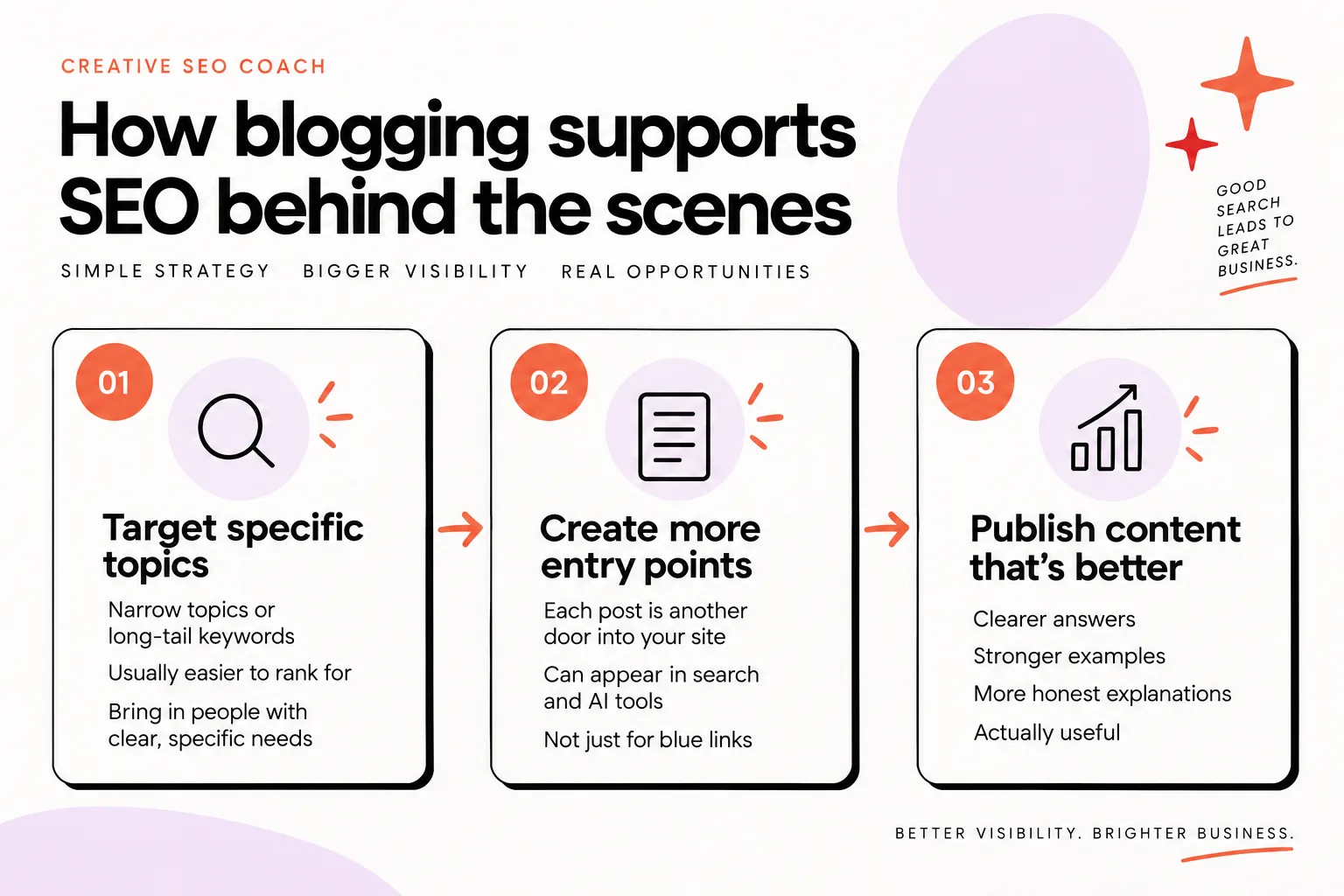
How blogging supports SEO behind the scenes
Blogging supports SEO in quiet, structural ways that your main pages cannot handle alone.
First, each post can target a narrow topic or long-tail keyword.
Instead of trying to rank a brand new site for “wedding photographer,” you can write posts around specific, lower-difficulty phrases like:
- “Spring barn wedding photo ideas”
- “What to wear for an in-home newborn session”
- “Showit website mistakes creative business owners make”
Long-tail keywords are usually easier to rank for, especially when your site is new or has low domain authority. They bring in people with clear, specific needs.
For newer sites or sites with low domain authority, targeting these lower-difficulty topics is a smart way to get traction. You are playing the game on a field where smaller sites can win.
Second, each helpful post is another door into your site.
Every time you publish, you give search and AI systems one more piece of content they can choose to surface. AI tools like ChatGPT and Perplexity are trained on and pull answers from blog content and other web pages, so your posts do not only fight for blue links in classic search results.
But you are not alone.
You are competing with other businesses’ content for the same space, whether that is on a Google results page or in an AI-generated answer. If you want your content to be shown instead of theirs, your posts need to be better than your competitors’ posts.
“Better” here does not mean fancier words.
It means clearer answers, stronger examples, more honest explanations, and content that is actually useful to the person who searched.
When you combine:
- specific topics people really search for, and
- genuinely helpful answers that beat what is already ranking,
you give your blog the best chance to support your visibility and inquiries.
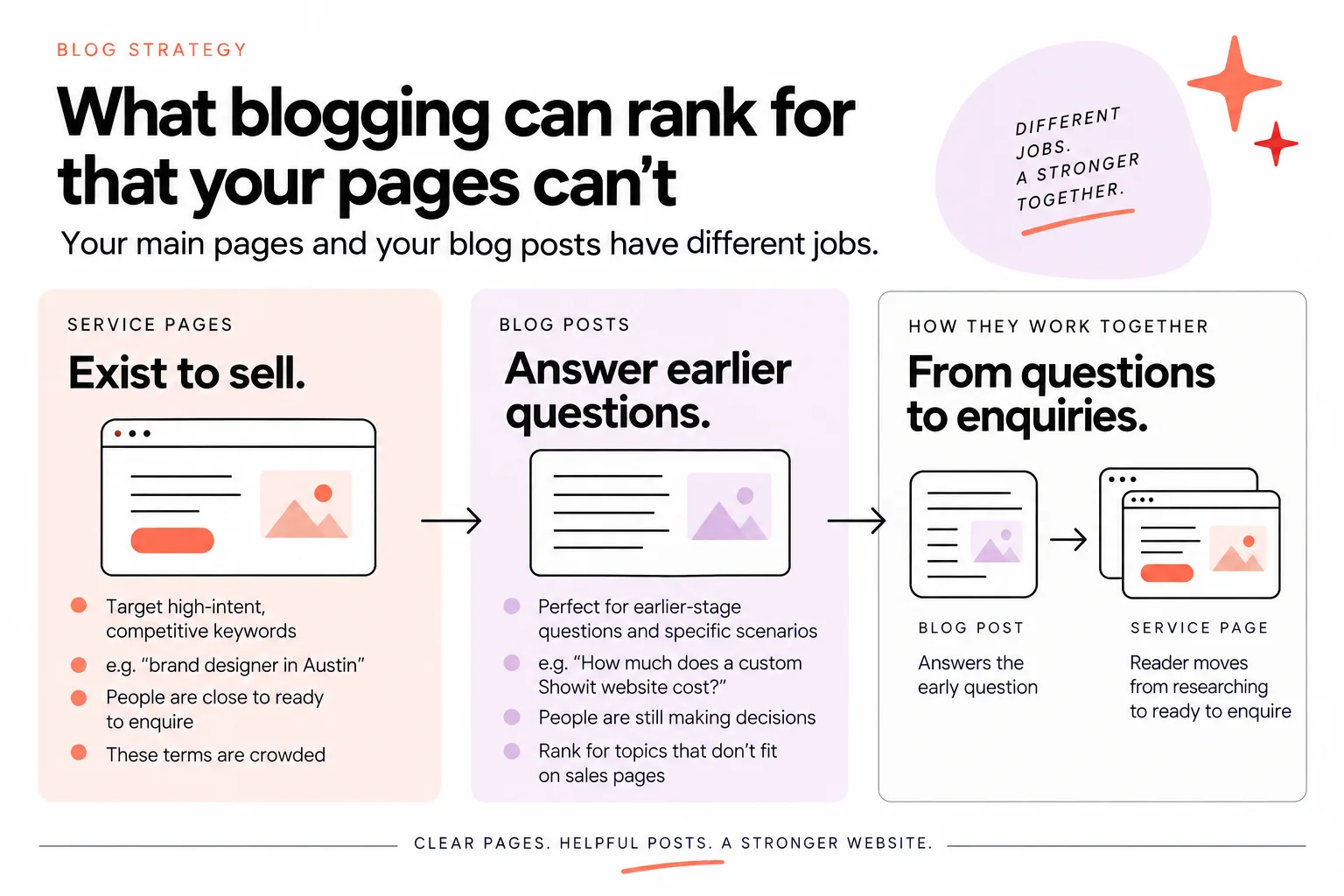
What blogging can rank for that your pages can’t
Your main pages and your blog posts have different jobs.
Service pages exist to sell.
They usually target high-intent, competitive keywords like “brand designer in Austin,” “California elopement photographer,” or “website copywriter for photographers.”
Those phrases are valuable. People searching them are close to ready to enquire.
The problem is that they are crowded. Bigger, older sites want those terms as much as you do.
Blog posts can step in where those pages struggle.
They are perfect for earlier-stage questions and specific scenarios, for example:
- “How much does a custom website cost?”
- “Elopement vs small wedding, which is right for us?”
- “What is the best time of day for an outdoor family session?”
This is content people search while they are still making decisions, not yet hunting for a specific photographer or designer.
You probably answer these questions all the time in DMs, emails, or consult calls. Blogging is your way to put those answers where Google and AI tools can find them too.
Here is how the pieces work together:
- A post answers the early question and earns a click.
- That post links to your related service or portfolio page.
- The reader moves from “researching” to “ready to enquire” on your site, not someone else’s.
Your blog can also rank for content that would feel out of place on a sales page.
Think of:
- location or venue spotlights,
- prop or outfit ideas,
- “mistakes to avoid” guides,
- behind-the-scenes breakdowns of your process.
Cluttering your main service page with all that detail would hurt conversions.
Putting it into focused posts, each on one angle, gives you more chances to appear in search while keeping your core pages clean and persuasive.

How to choose blog topics that support SEO
The most common mistake is picking topics based on what you feel like writing about.
The fastest way to make blogging support SEO is to work backwards from your services.
Start by listing your main offers.
Then, for each one, write down the questions people ask before they are ready to enquire or buy. Not the questions you wish they asked. The questions that actually land in your inbox.
For example, if you are a newborn photographer:
- “How soon should we book a newborn session?”
- “Can siblings or grandparents be in the photos?”
- “Best baby props for at-home photo shoots”
- “Different cake smash ideas for a 1st birthday”
Those are strong blog topics. They relate directly to your service and give you a natural way to show your work, explain your process, and guide people toward booking.
For photographers especially, I recommend mixing:
- helpful articles (how to prepare, what to wear, timelines, locations), and
- posts showcasing your work that people genuinely search for, such as sessions or idea roundups.
A post about “10 different cake smash ideas” is both inspiration and proof that you can create those images.
Once you have ideas tied to your services, do some light keyword research.
In one study, 45% say that researching and adding keywords to their posts helps boost their blog rankings. You do not need to become a data analyst, but you should check that:
- people are actually searching the phrase, and
- the difficulty is realistic for where your site is now.
For newer businesses or sites with low domain authority, I recommend choosing topics with low keyword difficulty first. That way you build some traffic and authority before you try to compete on harder phrases.
If you want a step-by-step example tailored to creative blogs, my guide to optimizing blog posts for photographers walks through a simple approach you can use even if you are not a photographer.
If you have a website and you want to show authority in your industry, you should be blogging in some form.
The key is this order:
Services → real questions → researched phrases → posts.
Not “random idea” → “hope it ranks.”
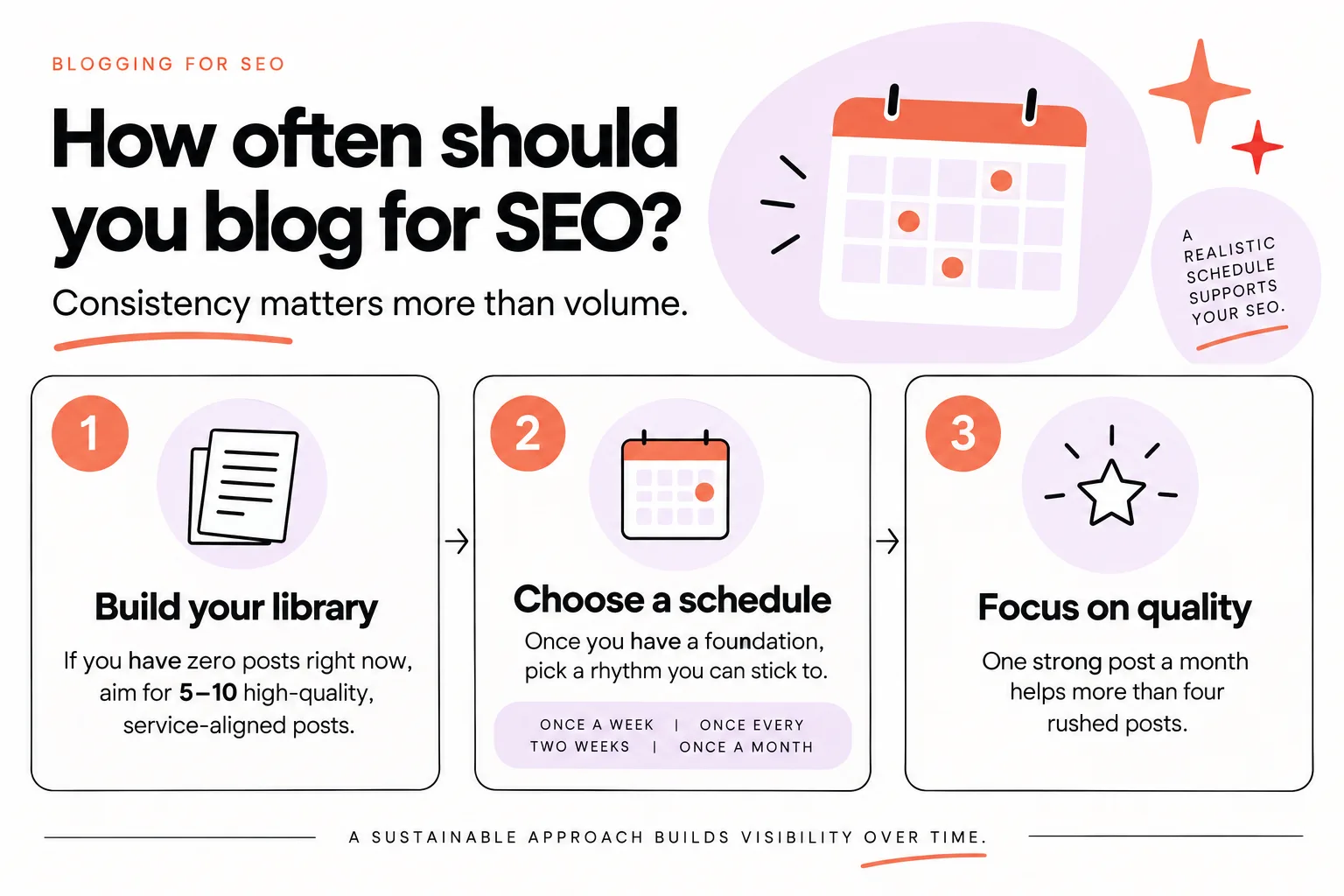
How often should you blog for SEO?
You do not need to publish every day for blogging to support your visibility.
Consistency matters more than volume.
A realistic schedule you can maintain will help your SEO more than two intense months of weekly posts followed by silence.
Here is a simple way to think about frequency:
- If you have zero posts right now, aim to get your first 5–10 high-quality, service-aligned posts live as soon as you can. Treat this as building your library.
- Once you have that foundation, choose a schedule you can actually stick to. That might be once a week, once every two weeks, or once a month.
Search engines care far more about overall quality and whether your site seems alive than about you hitting a magic “X posts per week” threshold.
Your capacity also counts.
Writing thoughtful content takes time. So does running a creative business.
It is better to commit to one strong post a month that genuinely answers a client question than four rushed posts that add nothing new.
There is one situation where you might increase your pace for a season.
If you are in your first year of blogging and you have the capacity, batching and publishing more frequently at the start can help you test what works faster. Just do not burn out.
When you are planning your schedule, remember you can trade time and money.
You either pay in your own hours and learning, or you pay in money to have a tool or service make blogging actually happen. There is no wrong answer, as long as you stay realistic about what you can keep up.
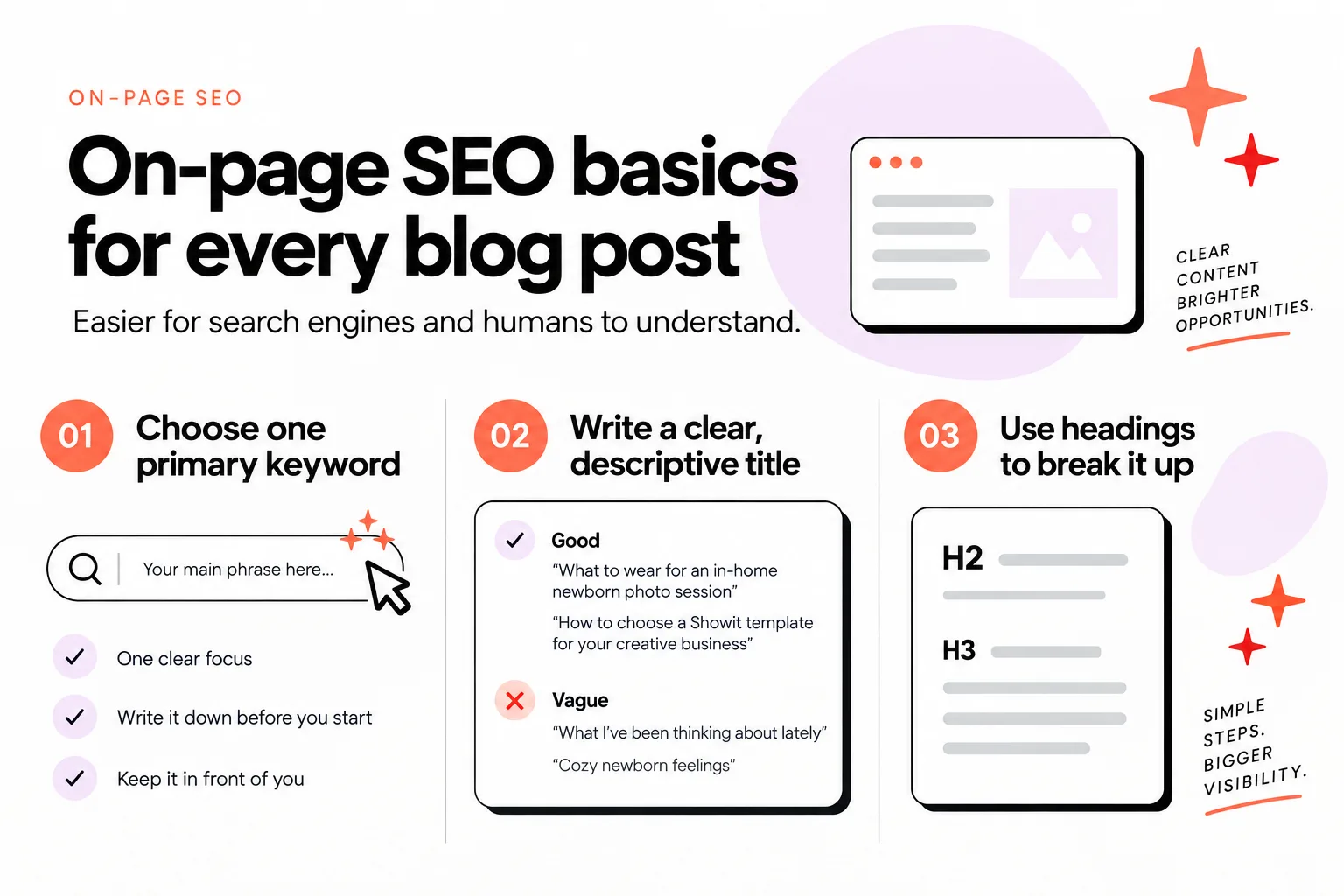
On-page SEO basics for every blog post
If you do nothing else, get these basics right on each post.
They make it easier for search engines and humans to understand what your content is about.
- Choose one clear primary keyword or question
Every post should have one main focus.
For example, “what to wear for an in-home newborn session” is a clearer focus than “all my thoughts about newborn shoots.”
Write the exact phrase or question down before you start. Keep it in front of you while you draft.
- Write a straightforward, descriptive title
Your title should match the post and the query.
Good:
- “What to wear for an in-home newborn photo session”
- “How to choose a website template for your creative business”
Vague:
- “What I’ve been thinking about lately”
- “Cozy newborn feelings”
Clear beats clever, especially for search.
- Use headings to break up your post
Use proper headings (H2, H3) to divide sections.
Each heading should tell a skimmer what they will get in that section. Avoid cute section titles that hide the real topic.
- Include your primary phrase in natural places
Use your main phrase or question in:
- the title,
- the first paragraph,
- at least one heading,
- and a few times in the body where it fits.
Write for humans first. Do not stuff or force it.
- Add internal links
Link to related posts and to your main service or portfolio pages.
For example, a “what to wear” post should link clearly to your newborn photography service page. This spreads authority around your site and guides readers toward enquiring.
- Write alt text for images
Describe what is in each image in simple language.
Alt text helps with accessibility and can support search when it describes something people might look for, like “mother holding newborn baby in neutral-toned living room.”
- Give your URL a clean structure
Use short, descriptive URLs, not ones full of numbers or random words.
For example: /what-to-wear-in-home-newborn-session is better than /blog/2023/07/14/post-1.
These basics are not fancy. They are not technical tricks. They simply make your post easier to understand, which in turn helps your visibility.
Is AI-written blog content safe for SEO?
AI tools can be part of a healthy blogging strategy, but they cannot replace your brain.
Google has said that AI-written content can be okay, as long as it meets the same standard of being helpful and people-first. The problem is not the tool. The problem is generic content.
If you paste a topic into ChatGPT, copy the output, and hit publish with no changes, here is what usually happens:
- The post sounds like thousands of others on the same topic.
- It has no specific opinions, examples, or stories from your work.
- It is easy for your competitors to create something almost identical, because they have access to the same AI tools.
Generic AI blogs created straight from ChatGPT without human input are unlikely to work well for SEO.
Everyone has the same tools. If you only post what the tool gives you, your posts will not stand out in search or in AI-generated answers.
My view is that AI should be used for speed, not for strategy.
It is great at:
- rough outlines,
- turning a bullet list into draft paragraphs,
- suggesting wording you can then make your own.
A human specialist needs to review, edit, and add input so the post is genuinely better than a generic AI draft.
That might mean:
- adding your actual client questions and language,
- including examples from your shoots or projects,
- inserting your real opinions on what works or not.
If you are curious about how a human-in-the-loop system works, Fasta Blogging is one example.
With Fasta Blogging, AI scans the owner’s data and proposes sections. Then an SEO specialist and the client review and add input before the system finishes the post with images and formatting.
The result is still fast, but the content is rooted in your business, not just in what the model scraped from the internet.
If you want to go deeper on the AI question, this post about whether AI generated content is going to hurt your SEO breaks down the risks and the safe ways to use it.
The bottom line: AI is a tool. Use it to help you ship more helpful, human posts, not as an excuse to flood your blog with soulless content.
Simple next steps to make blogging support your SEO
Let’s turn this into a simple starting plan you can actually do.
- Map 5–10 topics directly to your main services
For each service, write down:
- 2–3 questions people ask before enquiring,
- 1–2 posts that showcase the work in a way people search (sessions, idea lists, location features).
That is your first content roadmap.
- Check search demand and difficulty
Take those 5–10 ideas into a basic keyword tool.
Pick:
- a main phrase people do search for,
- with a difficulty that matches where your site is now.
For newer sites, lean hard toward low-difficulty, long-tail phrases.
- Draft with AI help if you like, then humanize
If you want to move faster, let AI help create a rough outline or expand your bullet points.
Then:
- add your examples and process details,
- remove generic filler,
- make the language sound like you.
- Run your on-page checklist
Before you hit publish, check:
- one clear focus phrase,
- a descriptive title,
- clean headings,
- internal links to your services,
- alt text for images,
- a simple URL.
- Set a realistic publishing rhythm
Decide what you can stick to for at least three months. Put those posts in your calendar.
You are building an asset library, not chasing a trend.
If you want encouragement, a HubSpot consumer survey found that 56% of respondents said they had bought from a company after reading its blog post. People do make buying decisions based on useful content.
If you are not blogging yet, I believe you should set something up, whether that is your own process or a service like Let Fasta Blogging write your posts, so blogging actually happens.
You either pay for blogging in your own time and learning, or you pay in money to have a tool or service do it for you.
The goal is not “more posts.” The goal is to blog well, with thoughtful, human-reviewed content that can outperform generic AI posts and competitor blogs.
FAQs
How often should I blog to help SEO?
You do not need to post daily.
Aim to publish enough that you:
- cover the core questions around your main services, and
- show search engines your site is active.
For many small creative businesses, that looks like:
- publishing your first 5–10 strong, service-aligned posts, then
- sticking to a schedule you can keep, such as monthly or every two weeks.
Consistency and quality matter more than chasing a specific number.
What should I blog about if I want SEO results?
Start with your services, not random ideas.
For each service, blog about:
- the questions people ask before they are ready to enquire,
- the problems or mistakes they want to avoid,
- inspiration posts that people genuinely search for (sessions, locations, props, ideas).
Then run quick keyword checks so you know people are searching those topics and the difficulty matches your site.
Every post should naturally point back to a related offer or portfolio page.
When won’t blogging help my SEO much?
Blogging will not move the needle if:
- your posts do not answer real questions people search,
- everything stays generic and AI-generated with no human input,
- you never link posts back to your services,
- you publish a few times in a burst and then abandon your blog for years.
It also will not fix serious technical issues on its own, like a site that will not load or pages that are blocked from being indexed.
If your basics are in place and you write genuinely helpful, focused content, blogging is still one of the strongest ways to support your visibility and inquiries.
If you want blogging to actually get done without swallowing your entire week, you can let the tech and humans behind Let Fasta Blogging write your posts handle the heavy lifting while you stay focused on your creative work.


