
TLDR: A blogging strategy for SEO is a simple, repeatable plan for what you’ll blog about, who it’s for and which searches it should show up for, so your posts actually lead to inquiries. It is the “operating system” behind your blog, not a huge corporate document.
Have you been told you should be blogging for SEO, but no one has explained what that actually means?
Without a strategy, a lot of people waste time and AI credits on posts that will never get results.
This guide covers what a blogging strategy for SEO is, the main types of posts you need and a simple setup you can keep going on a normal week.
What is a blogging strategy for SEO?
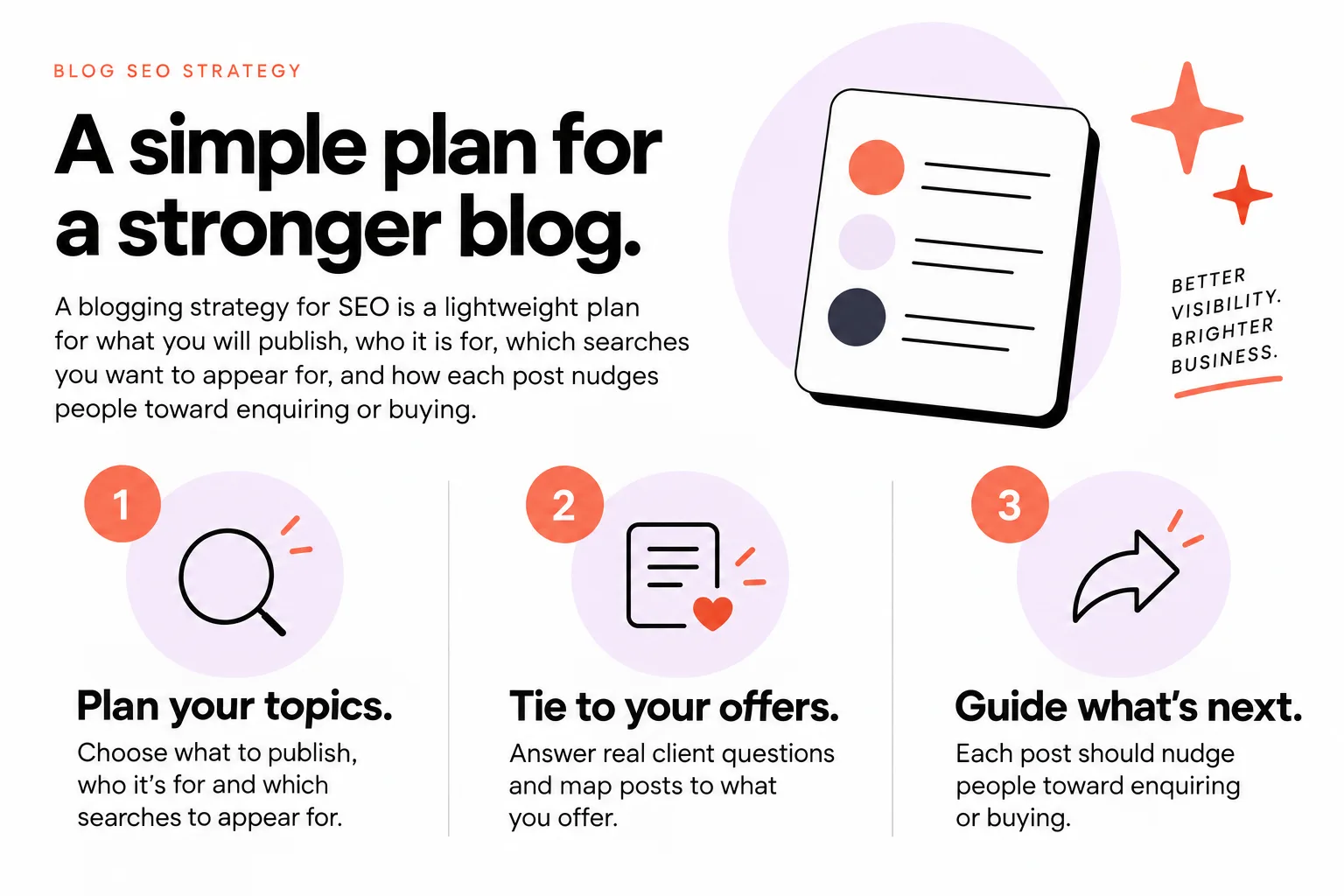
A blogging strategy for SEO is a plan for what you’ll publish, who it is for, which searches it should show up for and how each post leads readers toward inquiring or buying.
It is the operating system behind your blog.
It answers four questions:
- What are you trying to sell or book more of?
- Who are you trying to attract?
- What are they typing into Google when they look for that?
- How will each post move them one step closer to inquiring?
That is it.
From a search point of view, blog SEO is about making your posts easy to find, understand and trust in both search results and AI-generated answers, using your topics, keywords, structure, trust signals and updates, as Semrush explains.
From a business point of view, your strategy is how you turn your real expertise and client questions into those kinds of posts, on repeat.
It is not:
- A list of random topics that “sound good”
- A spreadsheet of 200 keywords you will never touch
- A one‑off “SEO blog post” and then silence for six months
Think of it like your shoot workflow.
You have a way you prep, shoot, cull, edit and deliver. You do not reinvent it every time. You repeat a simple system that works.
A blogging strategy for SEO is that same kind of repeatable system, but for posts that help you get found and booked.
The main types of blog posts in an SEO blogging strategy
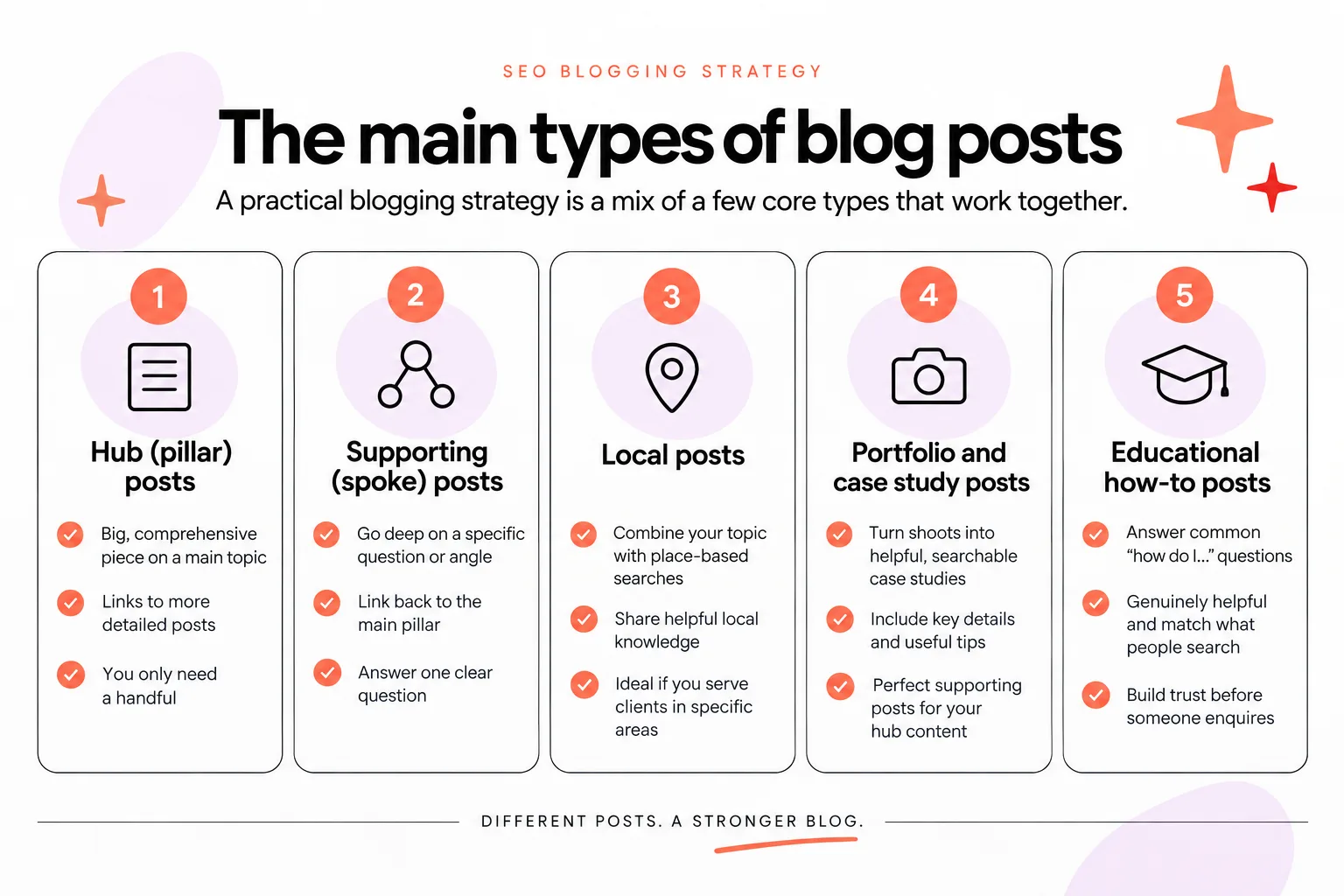
Your strategy is usually a mix of a few core types of posts, not a random collection of ideas published whenever you remember to blog.
For most creative businesses and photographers, there are five big building blocks:
- Hub (pillar) posts
- Spoke (supporting) posts
- Local posts
- Portfolio or case study posts
- Educational how‑to posts
1. Hub or pillar posts
Hub posts are your big, central guides on key topics that tie directly to your offers.
They are usually:
- Longer and more detailed
- Aimed at broader searches
- Written to be “the main guide” on something important you do
Examples:
- “The complete guide to planning your [City] engagement session”
- “Brand photoshoot checklist for small business owners”
- “How to choose a wedding photographer in [State]”
You then link lots of smaller, related posts into this hub. That is the “hub” part.
2. Spoke or supporting posts
Spoke posts are smaller, focused posts that branch off your hub.
They usually:
- Answer one specific question
- Go deeper into one part of your hub topic
- Link up to your hub and across to each other
Examples that might support “The complete guide to planning your [City] engagement session”:
- “What to wear for your [City] engagement photos”
- “Best [City] engagement photo locations at sunset”
- “How to include your dog in your engagement photos”
- “What happens if it rains on your engagement session date?”
This hub-and-spoke structure does two helpful things:
- It keeps your ideas organized so you always know what to write next
- It makes it easier for Google and AI systems to see “oh, this site really knows this topic”
You are blogging like a library, not a junk drawer.
3. Local posts
Local posts target searches that include places.
They usually:
- Include city, neighborhood or venue names
- Show real work or real knowledge of an area
- Help you show up when people search “thing + location”
Examples:
- “Summer wedding at The XYZ Barn in [City]”
- “5 outdoor family photo locations in [City] with shade”
- “How to plan a brand shoot at [Coworking Space] in [City]”
These are especially important if you are a photographer or service provider who wants local clients.
4. Portfolio or case study posts
Portfolio or case study posts show real work and real results.
They usually:
- Walk through one project, shoot or client story
- Highlight the before, after and process
- Include specific locations, decisions and outcomes
Examples:
- “Cozy in-home newborn session in [City]”
- “Rebrand and Showit website for a copywriter in [State]”
These posts help potential clients picture themselves working with you and give you natural internal links back to your service pages.
5. Educational how‑to posts
Educational how‑to posts teach your reader a clear skill or process step by step.
They usually:
- Break a task into simple actions
- Show your method or workflow in plain language
- Help readers get a small, specific win
Examples:
- “How to plan a stress‑free wedding timeline with your photographer”
- “How to prepare your Showit site for launch in one weekend”
- “How to back up your client galleries without losing files”
These posts are great for building trust. You show that you know what you are doing and you are generous with your knowledge, which makes inquiries more likely later.
Your simple blogging strategy usually blends all five:
- A few hubs for your main services
- Regular spokes that answer specific questions
- Local posts that help you show up where you actually work
- Portfolio or case study posts that show real work
- Educational how‑to posts that teach your way of doing things
Step 1: Tie your blogging strategy to your offers and ideal clients
Every blogging strategy for SEO should start from your core services and ideal clients, not from a list of random keywords.
If you skip this, you might get traffic, but from the wrong people, at the wrong time, for the wrong thing.
Start with two lists.
List 1: Your core services
Write down your main offers, the ones you actually want more inquiries for.
For example:
- Wedding photography
- Elopements
- Brand photography
- Family sessions
- Showit template customization
- Full custom Showit web design
You can do this on paper. It does not need to be fancy.
List 2: The clients you want more of
For each service, write who you want to book.
Be specific enough that you can picture them.
Examples:
- “Relaxed couples who want documentary‑style photos in [City] and care about the experience more than stiff poses”
- “Small creative businesses in the US who sell services online and need a Showit site that can grow with them”
Next, match them.
For each service, ask:
- What do these people worry about before they book?
- What are they excited about?
- What do they Google when they first start looking?
- What do they Google right before they inquire?
Write the answers as messy bullet points.
This gives you a small set of “priority topics” per service.
Everything else in your blogging strategy should point back to these.
If a topic does not:
- Help your ideal clients
- Or support one of your real offers
It goes on a “maybe later” list.
Step 2: Turn client questions into SEO-friendly topics and keywords
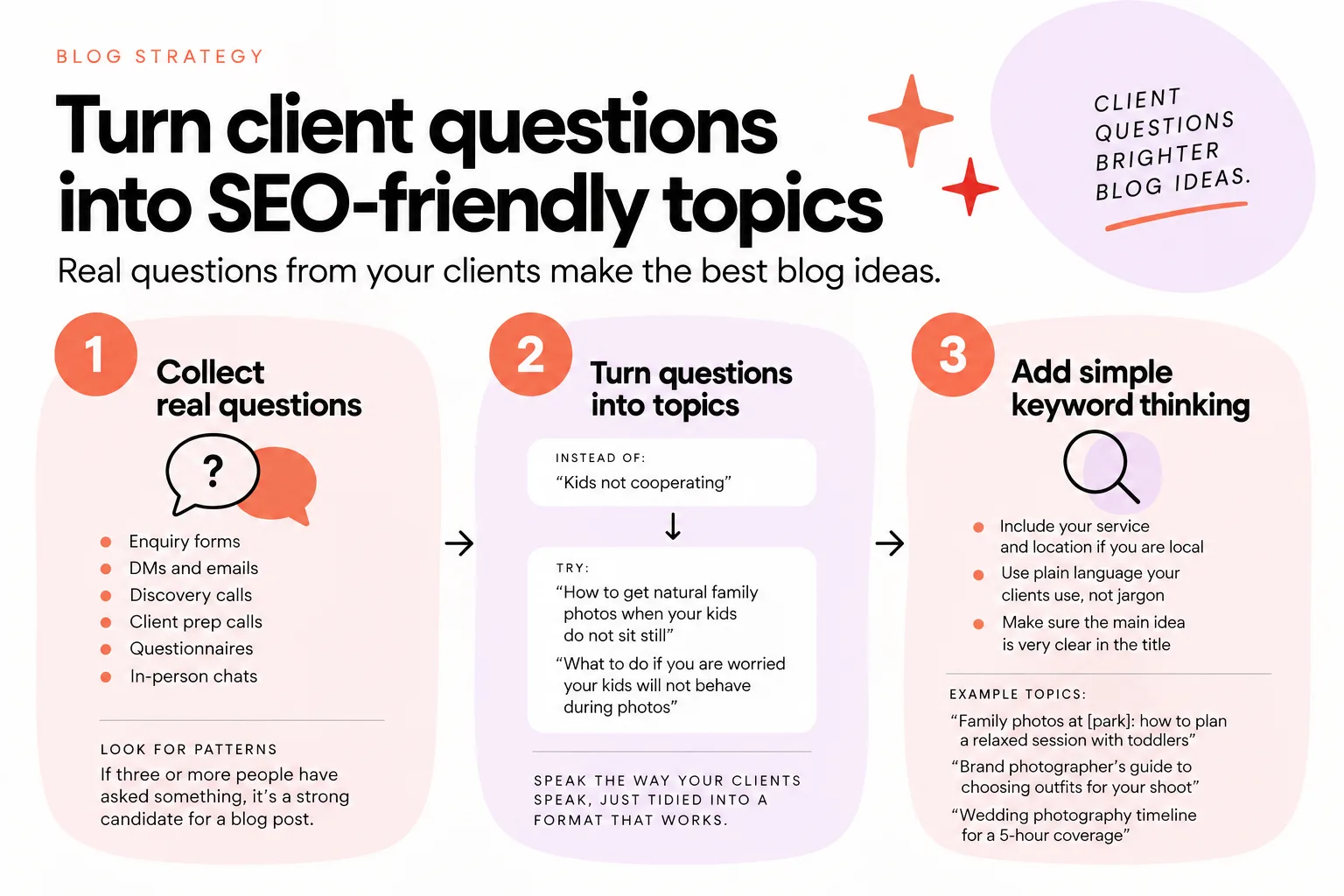
Client and inquiry questions are usually the best starting point for SEO-friendly blog topics for small creative businesses.
If your clients say it out loud, someone is typing a version of it into Google.
Here is a simple way to turn questions into blog ideas and basic keyword targets without getting lost in tools.
Start with questions you already hear
Pull questions from:
- Discovery calls
- Inquiry forms
- Emails
- DMs
- Client prep calls
- Feedback after sessions or projects
Examples from a photographer:
- “What should we wear?”
- “Do you help with posing?”
- “How long will it take to get our gallery?”
- “What if my kids do not cooperate?”
- “Can we bring our dog?”
- “What if it rains on our session day?”
Examples from a Showit designer:
- “Is Showit good for SEO?”
- “Can I move my blog from WordPress?”
- “How long does a custom site take?”
- “What pages do I really need on my site?”
Turn each question into a working title and a simple keyword phrase.
Question: “What should we wear for our engagement photos?” Working title: “What to wear for your engagement photos” Keyword: “what to wear for engagement photos”
Question: “Is Showit good for SEO?” Working title: “Is Showit good for SEO?” Keyword: “showit seo” or “is showit good for seo”
You can keep this basic at first.
You do not need to chase search volume for every post to start.
Sanity‑check with light research
Once you have a few topics from real questions, you can lightly check:
- What shows up when you Google that phrase
- Roughly how people search for it
Look for:
- The language people use in search result titles
- Gaps you can fill with your specific angle or location
- Whether the results are blog posts, sales pages or something else
You can go deeper into tools later if you want to, but for many small sites, “real questions + light research” is enough to get moving.
The key idea: SEO is an extension of conversations you already have, not something separate and scary.
Step 3: Plan a realistic publishing rhythm and content calendar
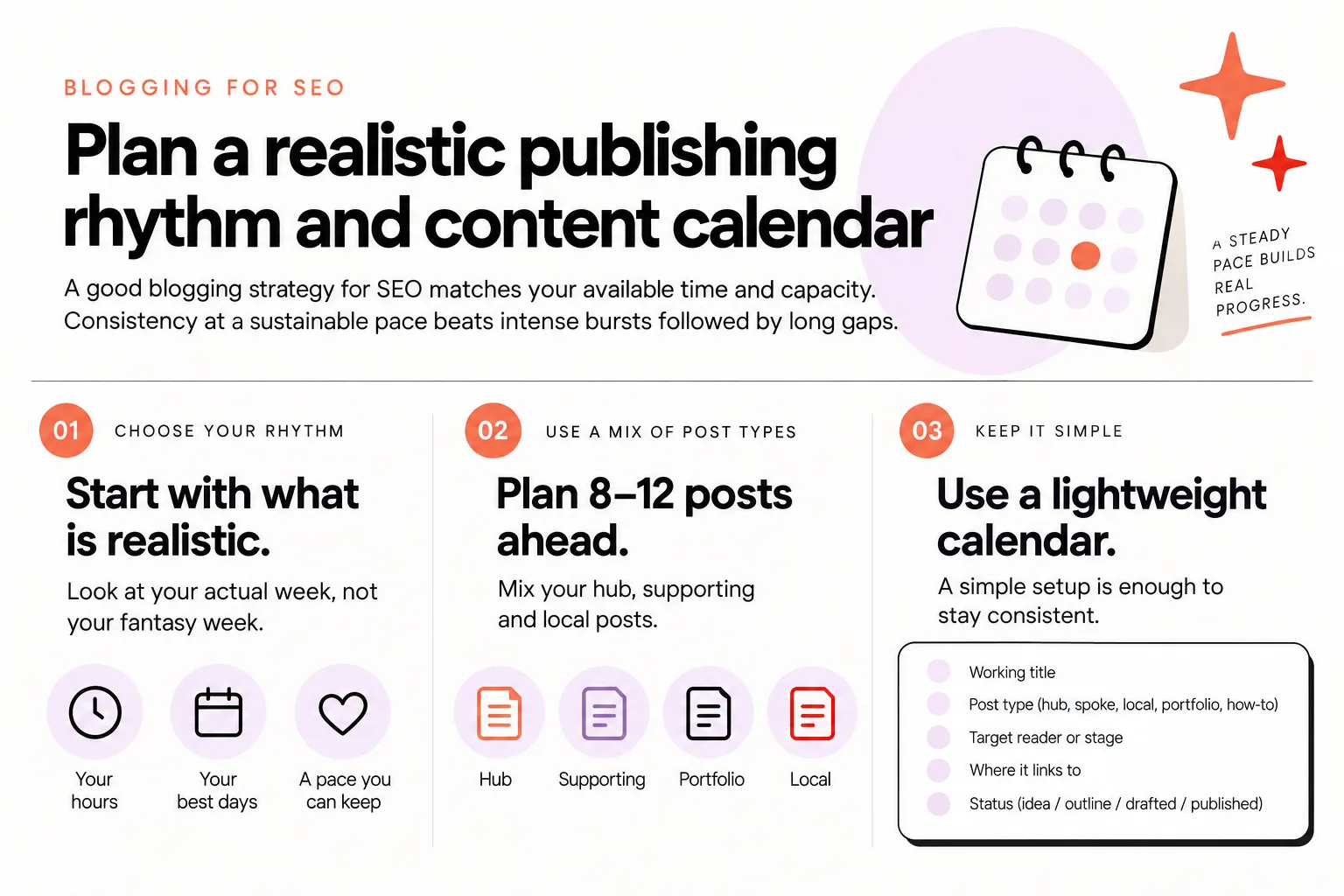
A good blogging strategy for SEO matches your available time and capacity. Consistency at a sustainable pace beats intense bursts followed by long gaps.
You do not need to post every week to see benefits.
You do need a cadence you can keep for at least 6 to 12 months.
Choose your realistic rhythm
Look honestly at your calendar.
Ask:
- How many hours a month can I really give blogging, without hating my life?
Then pick a cadence that fits:
- 1 post a month
- 2 posts a month
- 1 post every 2 weeks
- 1 post a week
If you have never blogged consistently, start small.
Two solid posts a month for a year will beat six rushed posts in one weekend and then nothing.
Turn your hubs into a simple calendar
Take your hub topics from Step 1 and Step 2, and sketch 2 to 3 months at a time.
For example, if you are a wedding photographer in [City] and your rhythm is 2 posts a month:
- Month 1
- Post 1: Hub: “The complete guide to planning your [City] engagement session”
- Post 2: Spoke: “What to wear for your [City] engagement photos”
- Month 2
- Post 3: Spoke: “Best [City] engagement photo locations at sunset”
- Post 4: Local: “Fall engagement session at [Local Park] in [City]”
- Month 3
- Post 5: Hub: “How to choose a wedding photographer in [State]”
- Post 6: Local: “[Venue] wedding photos in [City]”
You now have:
- Hubs that are worth linking to
- Spokes and local posts that build depth
- A mix that connects to real offers
Put these in whatever you already use: Google Calendar, Notion, a paper planner. The format matters less than you think. Use what you will actually look at.

Step 4: Structure each post for readers, search and AI answers
An SEO‑led post starts with the reader’s question and intent, then answers it clearly before introducing your services or CTAs.
Many small business blogs are either very short DIY posts or long, obviously AI‑generated posts with no images, few internal links and little real detail.
That kind of thin, low‑effort content often never even gets indexed in Google. You can see this clearly in Google Search Console.
If blog posts and pages are not being indexed, they will never show up in Google (and probably not in AI search either), so it is a sign that something needs to change.
Most of the time, indexing problems like this are caused by quality issues or a mismatch between the title and the body, not just a technical glitch.
Here is a simple structure you can reuse for every post.
A simple structure for SEO‑friendly blog posts
Use this skeleton and adapt it to your style:
- Clear title that matches the content
- Use the main phrase your reader would search, plus your location if it is local
- Do not promise something the post does not deliver
- Strong intro that says who this is for and what it answers
- Name the problem (“You are trying to choose outfits for your engagement session…”)
- Promise the outcome (“By the end, you will know what to wear and what to avoid”)
- Direct answer near the top
- Give a short, clear answer before you tell long stories
- This helps humans, search engines and AI systems understand your main point quickly
- Organized sections with subheadings
- Break your answer into logical chunks
- Each heading should say what that section covers, in plain language
- Real detail and examples
- Include your advice, not generic filler
- Use specific places, scenarios and tips that only someone who actually does the work would know
- Photos or visuals where it makes sense
- On Showit this is easy to design
- Use them to support the content, not just fill space
- Internal links to related posts and important pages
- Link to your hub if this is a spoke
- Link to your services or portfolio where it is naturally relevant
- Think “helpful next step,” not “link everything everywhere”
- Clear call to action at the end
- Invite the reader to inquire, book a call or grab a guide
- Make sure the action fits the stage they are at
This simple structure supports all three: easy to find, easy to understand and easy to trust.
If you want a deeper dive into on‑page foundations, you can also read about them in Semrush’s on-page SEO overview.

Step 5: Use AI and human review together in your blogging strategy
AI can speed up parts of the blogging process like outlining, idea generation or turning bullet points into a first draft, but it should not replace your expertise.
The AI posts that struggle tend to look alike. They usually:
- Repeat the same generic tips you see everywhere
- Do not include real locations, examples or stories
- Have mismatched titles and bodies
- Have no clear structure or internal links
Blogging is a race and a competition. You are not writing in a vacuum. You are trying to outrun and out‑quality other content on the same topics. Because it is competitive, you must create genuinely good, high‑quality content if you want to rank and get inquiries, especially now.
AI is helpful, but only as part of a process where a human expert is still in charge.
How AI can help a creative business owner blog faster
You can use AI to:
- Turn messy bullet points into a rough outline
- Generate 10 variations of a title to choose from
- Draft a first version of a section, which you then rewrite in your own voice
- Pull out FAQs from a longer post
- Help you see gaps in your explanations
Keep control by:
- Feeding it your own notes, not asking it to “write a post from scratch”
- Fact‑checking everything
- Adding your specific locations, examples and opinions
- Running a quick “does this sound like me?” check
To give one example of how AI and search overlap, Semrush’s study analyzed 20,000 keywords and 42,000 blog posts when comparing AI-classified and human-classified content in search results. The headline for you is simple: quality and relevance matter more than which tool wrote the first draft.
AI is the helper. You and your expertise are the thing that makes the post worth indexing, ranking and reading.
If you want more context on how AI and search interact, you may also like this article on how AI search is changing SEO.
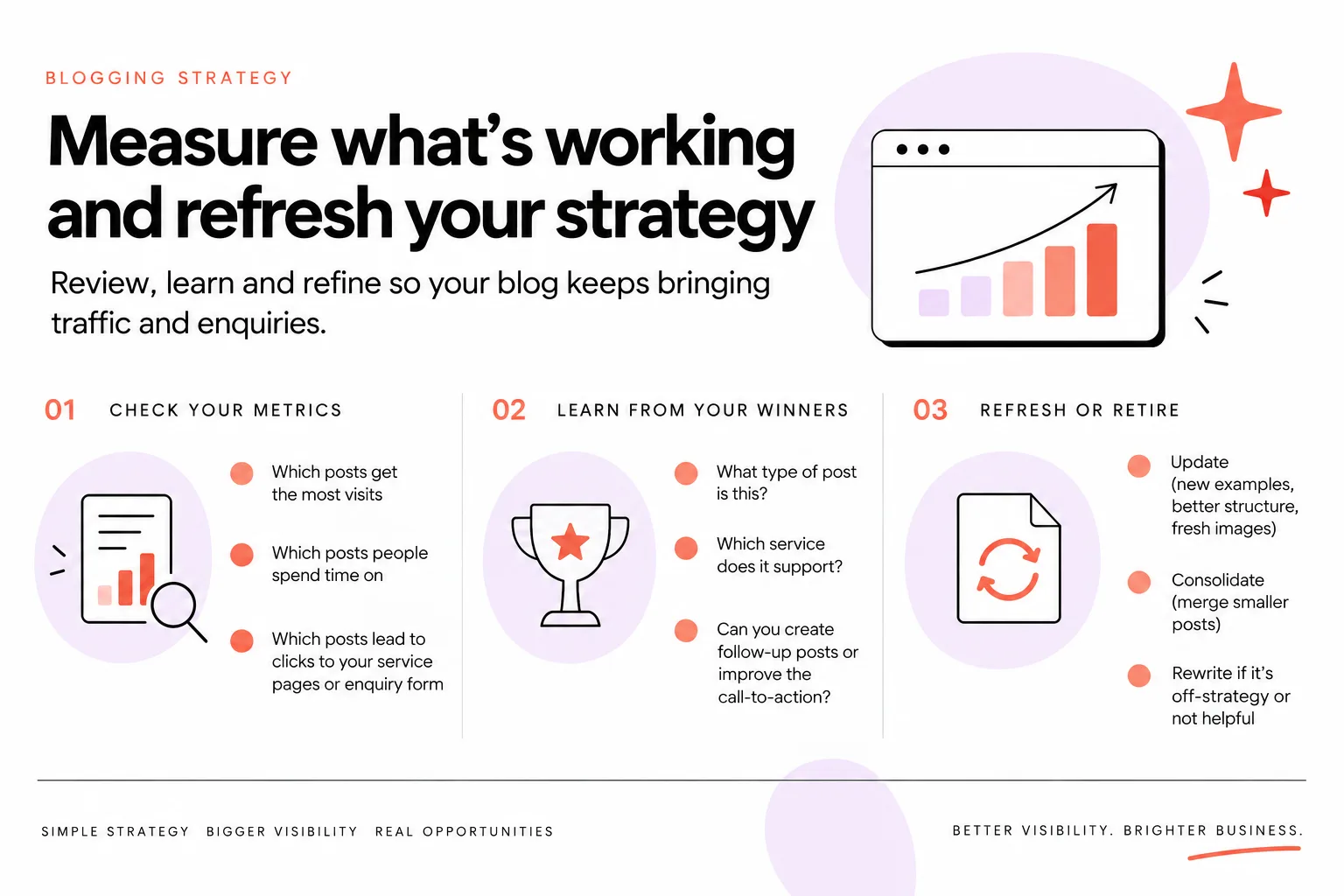
Step 6: Measure what’s working and refresh your strategy
An SEO blogging strategy should include a regular review of what posts are bringing traffic, inquiries and other valuable actions, not just views.
Otherwise, you are blogging in the dark.
To build a strategy, start with your data so you know what you can realistically rank for:
- Google Search Console
- Your analytics
- Keyword research
- Metrics like domain authority
Then you look at your business goals and where you want to be, and create a blogging strategy that helps you get there instead of just filling the blog with content.
A simple review loop
Once a month or once a quarter, spend 30 to 60 minutes on three things.
- Check what is being indexed
- In Google Search Console, see which posts are indexed
- If something has sat unindexed for a long time, ask:
- Is this thin or generic?
- Does the title match what the post is actually about?
- Is it clearly better than what already exists?
- Check what is bringing the right traffic
- Look at posts that:
- Bring people from relevant searches
- Lead to inquiries, form fills or important page views
- Note the topics and formats that seem to work best
- Decide what to refresh, not just what to create
- Some posts need:
- Better headings and structure
- Clearer answers higher up
- Local details or updated examples
- Some low‑quality posts may be better off rewritten from scratch
Sometimes a simple fix helps.
But often, when a post is not indexing or performing, the real solution is to completely rewrite it with a stronger strategy and better quality.
Blogging is not “set and forget.” It is “publish, watch, adjust.”
If you want help understanding your current baseline, you can also request a Free Video Website Audit and see how your content is doing now.
How Fasta Blogging fits into your SEO blogging strategy
You might be reading this thinking:
“This all makes sense. I still do not have time to do it properly.”
That is exactly where Fasta Bloggingfits.
Fasta Blogging is a done-for-you blogging service built to bring clients to your website without adding to your workload. It is for business owners who understand the value of an SEO blogging strategy but cannot execute it consistently themselves.
Here is what it includes:
- Four SEO-led blog posts every month
- A personalized blogging and topic strategy
- Every post built from your expertise, drafted with AI and reviewed by a human SEO specialist before it reaches you
- It costs $125 a month and takes just around 20 minutes of your time
The point is not “more content at any cost.”
The point is:
- Posts that align with your offers and ideal clients
- Topics that make sense in your hub-and-spoke plan
- Quality that gives you a real shot in a competitive space
Instead of hiring a generic copywriter to “just write blogs,” you get a system that connects keyword research, your expertise, AI drafting and human SEO review into one process.
When to get 1:1 SEO help with your blogging strategy
Some business owners are happy to DIY their blogging strategy with a guide like this but want a professional to sanity‑check their plan or answer questions specific to their niche.
You might want 1:1 help if:
- You are not sure which hubs to focus on first
- You have been blogging already but nothing is indexing or ranking
- You are debating between two directions for your business and want your content to support the right one
- You need help reading Google Search Console or your analytics
- You are in a competitive market and want realistic expectations
In that case, a focused session can save you a lot of trial and error.
If you want help mapping out your specific blogging strategy or reviewing what you already have, you can book a 1-hour SEO coaching call.
For deeper, hands‑on support beyond a call, there is also custom SEO work available through my site.
FAQs
How detailed does a blogging strategy for SEO need to be?
Your blogging strategy does not need to be a big formal document.
For a small creative business, it can be as simple as:
- A one‑page list of your services and ideal clients
- 3 to 5 hub topics that support those services
- A short list of spoke and local posts under each hub
- A realistic publishing rhythm you can keep
- A monthly reminder to check your data and tweak
If your plan helps you decide what to publish next and why, it is detailed enough to start.
You can always refine it later.
How do I choose blog topics for SEO from client questions?
Start by writing down every question clients actually ask you before and after they book.
Then:
- Cross out anything that has nothing to do with your offers or ideal clients
- Group similar questions together (these might become hub posts)
- For each remaining question, turn it into:
- One specific blog topic
- A basic search phrase someone would type
Finally, do a quick Google search for that phrase.
If the results match the kind of post you were planning, and you have something useful and specific to add, it is a good topic for your blog.
How often should I publish blog posts for SEO?
Publish as often as you can maintain good quality, not as often as possible.
For most small creative businesses, that is:
- 1 to 4 posts a month
If you are starting from zero, worry less about “perfect frequency” and more about sticking to a rhythm for at least 6 to 12 months.
It is better to commit to 1 great post a month and keep it going than plan for weekly posts and burn out.
Can I use AI to help with my blogging strategy for SEO?
Yes, you can absolutely use AI to help, as long as you stay in control.
AI is helpful for:
- Turning your notes and client questions into outlines
- Drafting first versions that you then refine
- Coming up with angle ideas or FAQs
AI should not:
- Replace your own expertise or opinions
- Be left to publish unedited posts
- Be your only source of information
You win by creating genuinely good, high‑quality content that reflects your real knowledge, not by cranking out more generic AI text than everyone else.
If you want posts that follow a clear strategy without you having to write them yourself, let Fasta Blogging write your posts.


