
Summary: A rebrand or redesign will only keep and grow your Google traffic if you protect your URLs, keep search intent in mind when you rewrite copy, and launch with clean technical basics. Treat design and SEO as one project, not two separate things, and move slower when you change more than the visuals.
A new brand and website should feel like a glow-up, not a traffic cliff.
If you get the visuals right but cut the wrong pages, break links or confuse Google, your leads can drop even while your site looks gorgeous.
In this guide I will walk you through how to plan your rebrand or redesign so search performance survives the makeover and is set up to grow.
From the first moodboard to launch week and beyond.
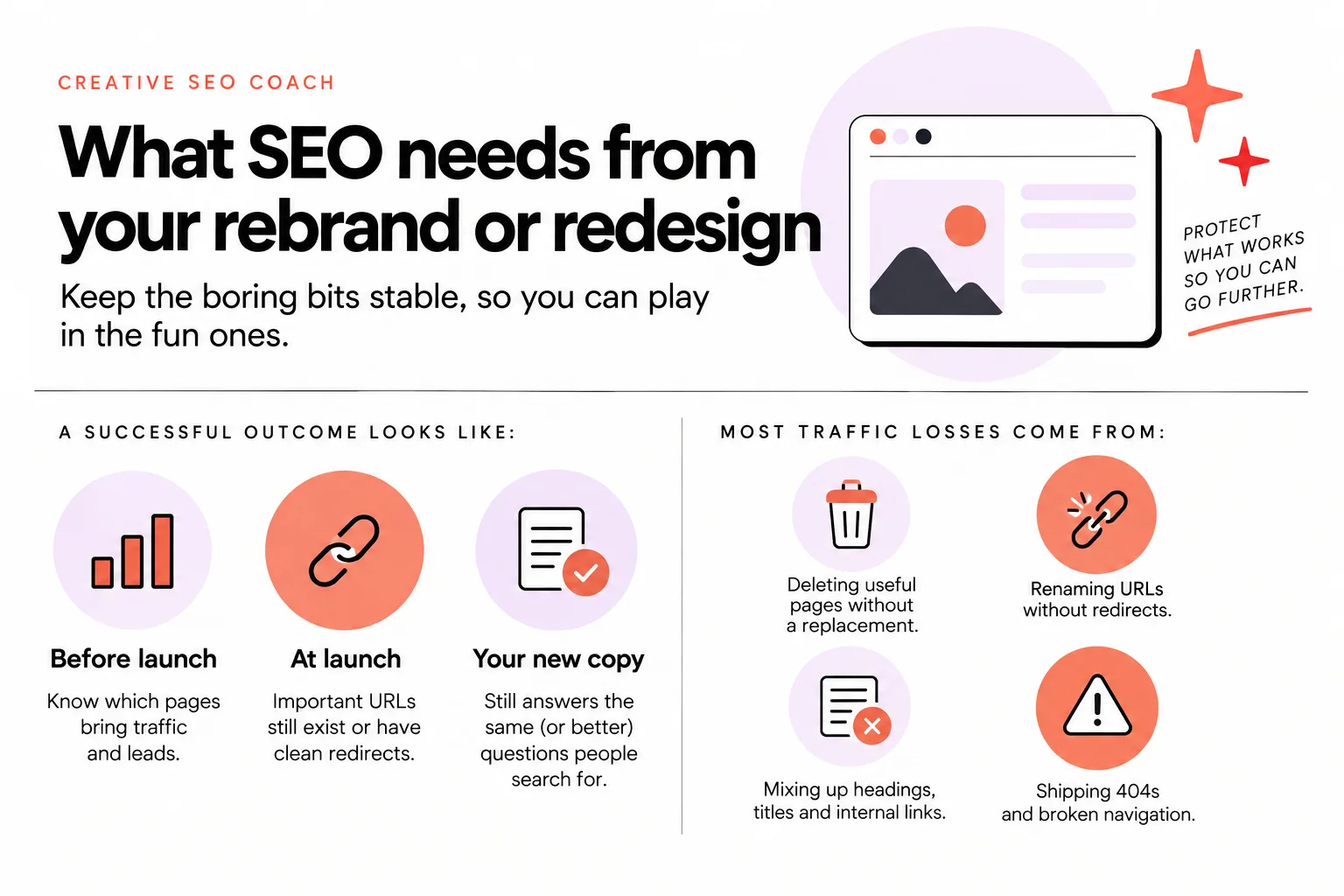
What SEO needs from your rebrand or redesign
SEO needs stability in all the boring places while you play in the fun ones.
You can change colors, fonts, layouts and photos as much as you like, as long as you keep three things under control: URLs, content and a few technical basics.
Here is what a successful outcome looks like for your project:
- Before launch, you know which pages currently bring traffic and leads.
- At launch, your important URLs still exist or have clean redirects.
- Your new copy still answers the same (or better) questions people search for.
- Technically, your site is easy for Google to crawl and load.
Most traffic losses during a redesign do not come from the new design.
They come from:
- Deleting useful pages without a replacement
- Renaming URLs without redirects
- Mixing up headings, titles and internal links so Google has to re-learn what everything is about
- Shipping 404s and broken navigation
If you treat your current site as “the thing that worked well enough to get you here,” the job of your redesign is to protect that foundation while you level up the visuals and messaging.
The rest of the article will show you how.
Decide how big your website change really is
The first step is to be honest about how much you are changing.
The more elements you change at once, the more careful and methodical your SEO plan needs to be.
You can roughly group projects into:
- New design only
- Design + content changes
- Design + content + URL structure changes
- Domain change
- Platform change (for example, moving onto or off a platform like Showit)
You might be doing more than one of these. That is where risk climbs.
Google advises treating major site changes as separate steps: if a business is changing domain, CMS and layout, those updates should be sequenced rather than launched all at once.
In plain language: do not burn everything down in one day if you can avoid it.
The same idea shows up in platform guidance. Showit’s redesign checklist recommends keeping current URLs or permalink structure where possible so search engines do not lose access to pages that disappear in a new design.
That is good advice on any platform.
So, categorize your project:
- If you are changing visuals only, you mostly need to protect layout basics and internal links.
- If you are changing messaging and pages, you need a proper content map.
- If URLs, domain or platform are changing, you need a full redirect plan and a slower roll-out.
Once you know which camp you are in, the rest of the steps will make more sense.
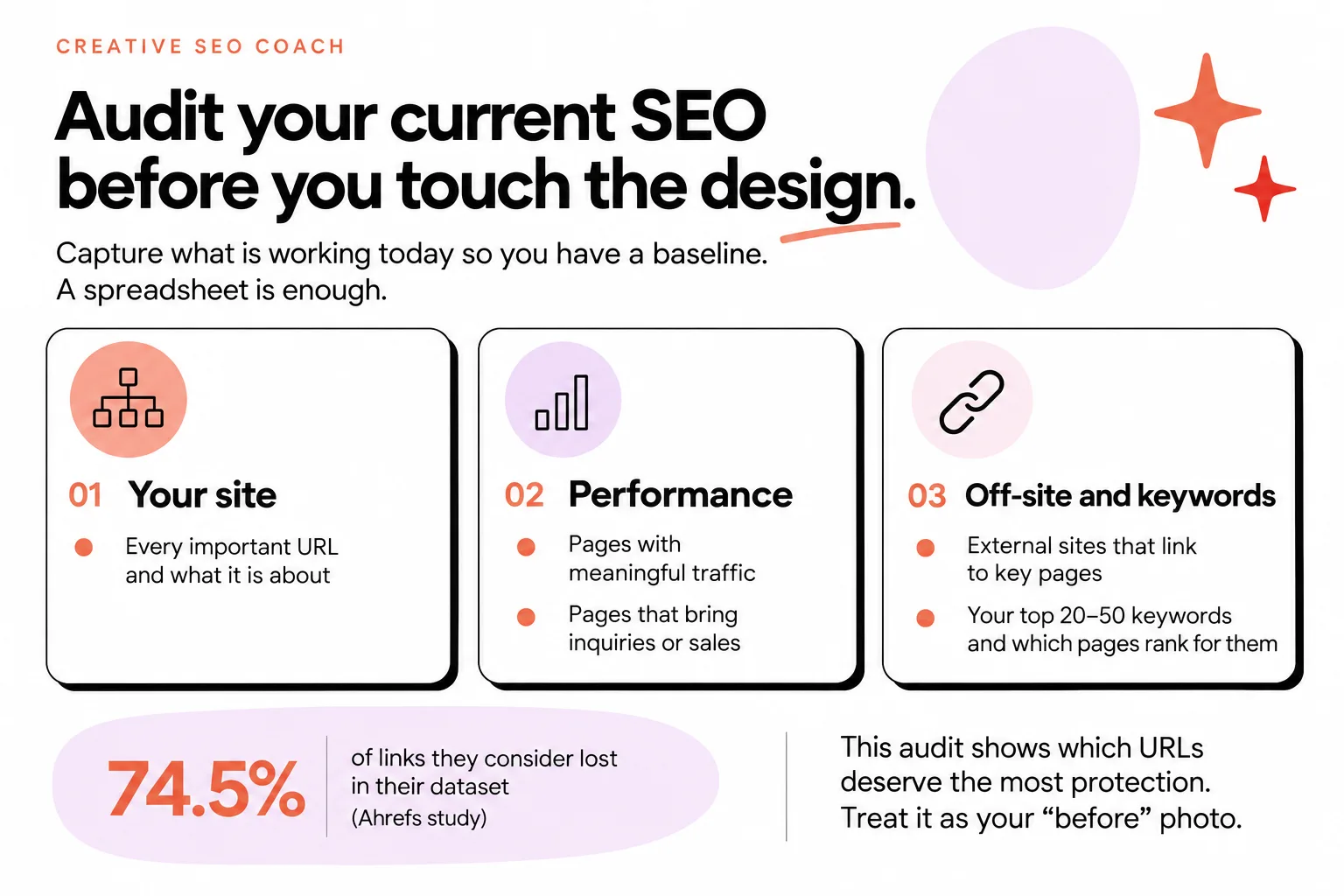
Audit your current SEO before you touch the design
Before you move a pixel, capture what is working today.
Without a baseline, you cannot tell if your rebrand helped or hurt your search performance.
You do not need fancy tools. A spreadsheet is enough.
You want to record:
- Your current site map: every important URL and what it is about
- Which pages bring meaningful traffic
- Which pages actually bring inquiries or sales
- Any external sites that link to key pages
- Your current top 20–50 keywords and which pages rank for them
If you already use a SEO tool like Ahrefs, export your top pages and backlinks. Or, use an AI tool like ChatGPT or Claude and ask it to to help you 'create a page migration and redirect audit'. If this seems too hard or you are time poor contact an SEO Specialist to help you out with this process. If you are a website designer and doing this for a client, I recommend bringing in an SEO specialist from the start to help you and make sure your client doesn't lose any SEO power they previously had.
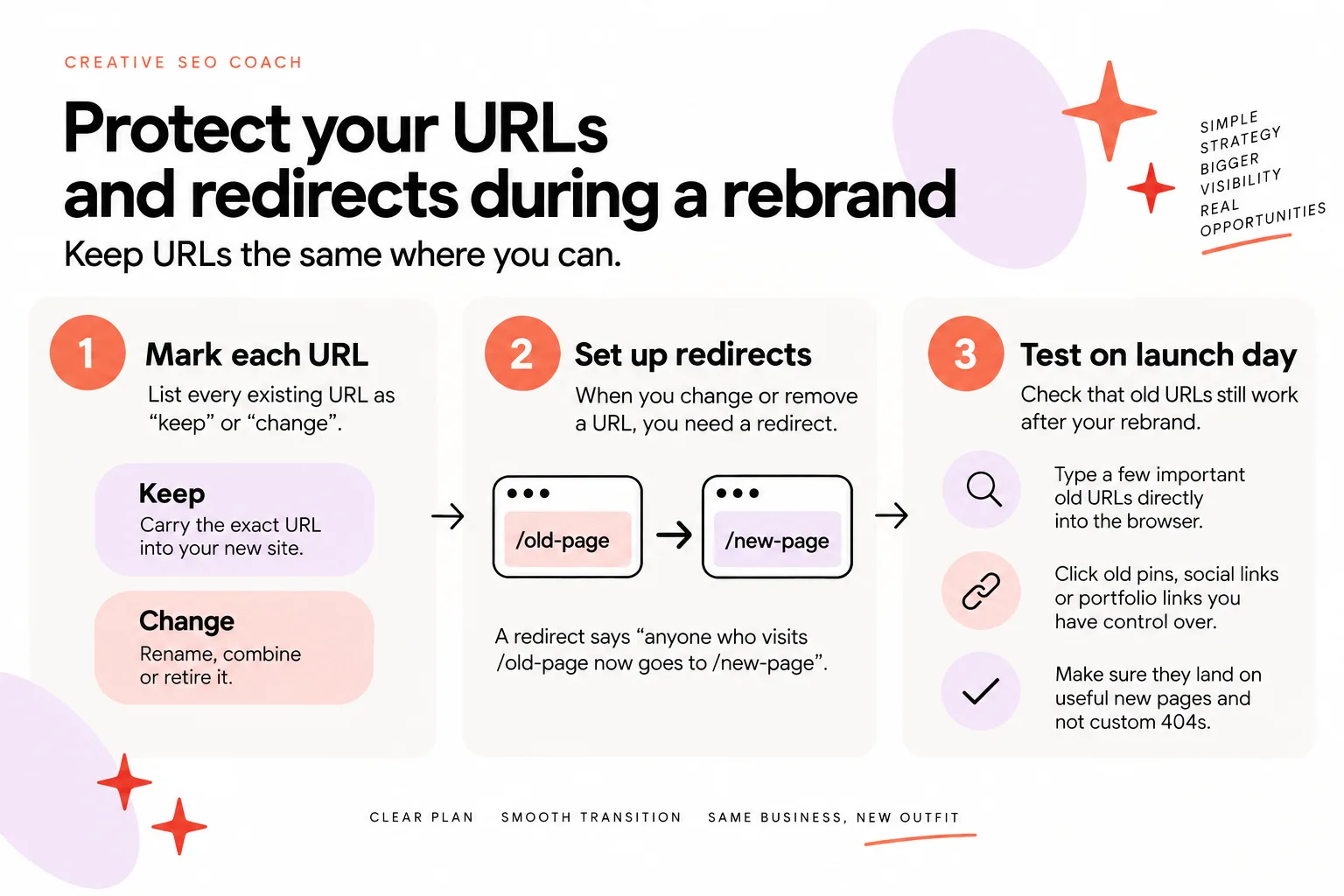
Protect your URLs and redirects during a rebrand
If you only remember one rule, let it be this: keep URLs the same where you can.
Changing a URL means asking Google to re-learn and re-evaluate that page.
So, step one: mark each existing URL as “keep” or “change”.
- “Keep” means you carry the exact URL into your new site
- “Change” means you plan to rename, combine or retire it
When you change or remove a URL, you need a redirect.
That is simply a rule that says “anyone who visits /old-page now goes to /new-page”.
Common mistakes here cause a lot of invisible mess. An academic redirection study observed 62,000 custom 404 URIs, almost half being soft 404s. That shows how easy it is for migrations to create dead ends and confusing “not found” pages instead of clear redirects.
The same research found that there were non-canonical redirects, which frequently involved domain changes (65%). This is exactly the context of many rebrands.
You do not need to know the academic terms to avoid the problem. You just need a simple map.
Make a two-column list:
- Column A: every old URL that is changing or going away
- Column B: the single best new URL it should point to
A few rules:
- Point each old URL to the closest relevant new page, not always the home page
- Use one-to-one redirects where you can, especially for top-traffic or linked pages
- Avoid chains like /old to /kind-of-new to /new-new
On launch day, test:
- Type a few important old URLs directly into the browser
- Click old pins, social links or portfolio links you have control over
- Make sure they land on useful new pages and not custom 404s
If you are changing domain, take this part even more slowly.
You are asking Google to trust a new brand and sometimes a new platform. Clean, intentional redirects are your “we are the same business, just with a new outfit” signal.
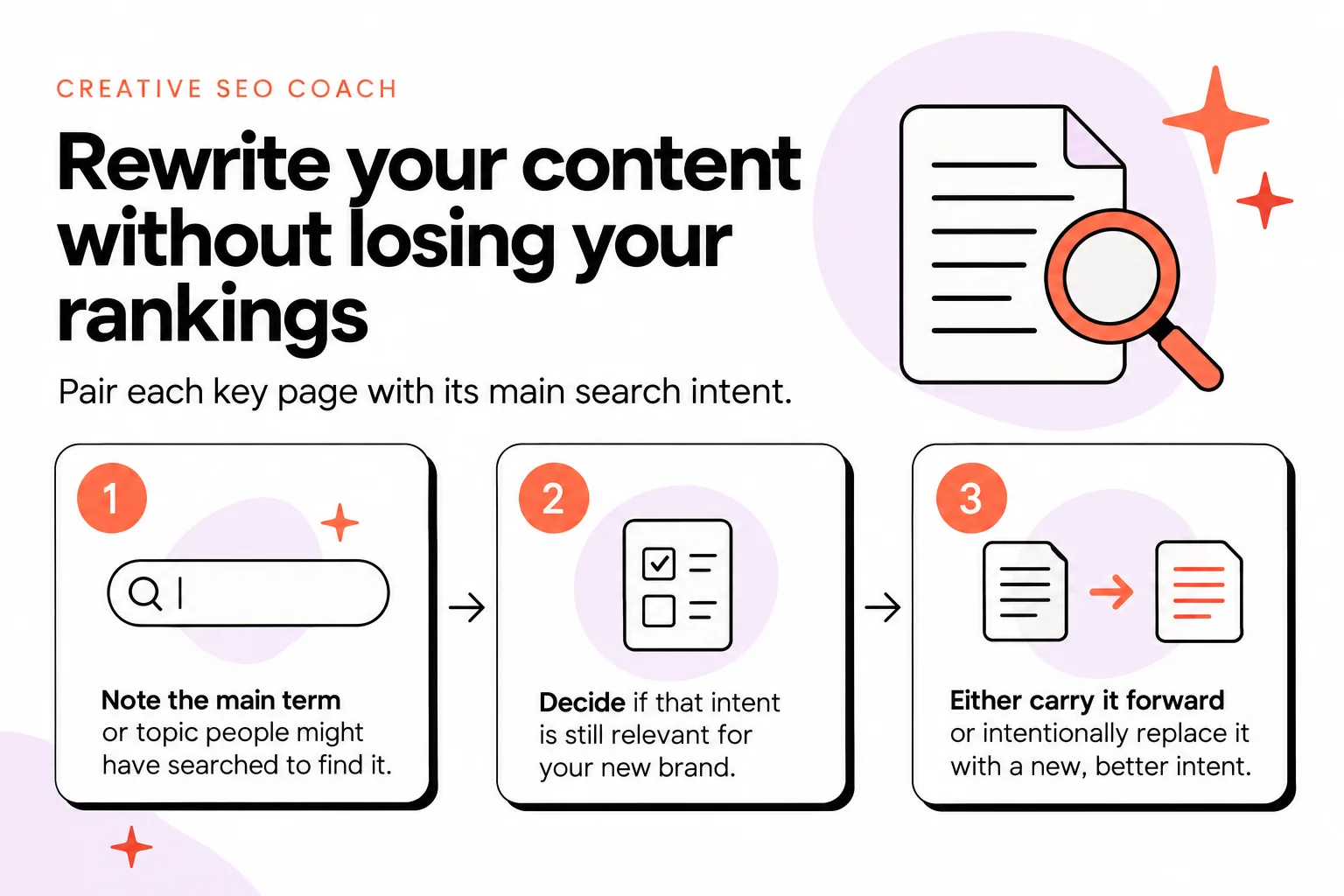
Rewrite your content without losing your rankings
Most rebrands involve new messaging.
That is good. Your brand voice should evolve. Your offers might shift too.
The risk is that your old copy currently answers certain questions that people type into Google.
If your new copy forgets those questions, the traffic can quietly disappear.
The fix is simple: pair each key page with its main search intent.
For every existing core page (home, services, about, contact, key blog posts):
- Note the main term or topic people might have searched to find it
- Decide if that intent is still relevant for your new brand
- Either carry it forward or intentionally replace it with a new, better intent
Then, when you rewrite:
- Keep the same core topic, but update language, examples and positioning
- Make sure the main phrase or topic still appears in your title, URL (if it is staying), headings, and body text
- Keep a clear, specific headline that tells humans and Google what the page is about
If your offers have changed a lot, you might retire some old intents. That is fine, as long as you are doing it on purpose, not by accident.
A few practical tips:
- Do not delete a page that brings traffic unless you are sure you do not want that traffic anymore
- If you merge several small service pages into one, keep the strongest, clearest URL as the survivor and redirect the rest to it
- On blog posts that already rank, refresh and reframe instead of rewriting from scratch where possible
Think of it like renovating a studio instead of moving out.
You are changing the furniture and paint, not tearing out the foundation.
If a page never brought useful traffic and no longer fits the brand, you have more freedom. Rewrite or replace it fully. Just remember to give its replacement a clear search intent and structure.
Technical SEO checks before and after launch
You do not need to be a developer to handle the basics.
You just need a small checklist before and after launch.
Before launch, on your staging site:
- Crawlability: can a basic crawler or your browser reach all important pages through links? Avoid pages only reachable through complex menus or scripts.
- Mobile usability: load your templates on your phone. Check navigation, font size and buttons without getting designer-blind.
- Page speed: run a few key pages (home, one service, one blog post) through PageSpeed Insights. Use it as a rough guide to image sizes and obvious speed killers.
- 404s and redirects: click all your main menu items, footer links and key buttons. Nothing should hit a 404 during staging other than truly missing pages.
- Titles and meta descriptions: write unique, descriptive titles and descriptions for each main page. They do not have to be poetry. Clear beats clever.
After launch, repeat a shorter version:
- Re-check your main journeys: home to service to contact, blog to service, portfolio to inquiry, etc.
- Test your redirects from old URLs and any saved social or Pinterest links.
- Search your brand name and key services in Google and see which version of pages appears (old vs new).
If you are on a visual platform like Showit, you still control these basics even if a designer builds the layouts. If you are unsure how your platform handles speed, you might find my guide on how to speed up your Showit website helpful for principles that apply widely, like image optimization.
The point is not to chase perfect scores. It is to avoid shipping easy-to-avoid technical problems on your very first day with a new brand.

Plan your post-launch content strategy
A redesign does not grow traffic by itself.
What grows traffic after the dust settles is new, helpful content that matches your refreshed brand.
Your rebrand is a great moment to reset your content plan around where you want the business to go.
Start with three simple questions:
- What services or offers do I most want to sell over the next year?
- What questions do ideal clients ask before they buy those?
- What do I want to be known for in my niche?
From those answers, build a short list of core content themes.
Then plan a handful of posts or pages under each:
- Educational guides that answer real pre-sales questions
- Portfolio or case-study style pieces that show your process and outcomes
- Opinion or “line in the sand” posts that reflect your new brand voice
You do not need a huge schedule. Consistency beats intensity.
Aim for a realistic rhythm that does not burn you out during or after the rebrand.
Directories are really underrated here too. If you are a designer or creative, being findable in the right places builds authority around your new brand name. I created the Creative Designer Directory for exactly this kind of visibility for Showit designers and other creatives.
Use your rebrand as a chance to prune content that no longer fits, and then intentionally fill the gaps with pieces that pull in the clients you want now, not the ones you were chasing three years ago.
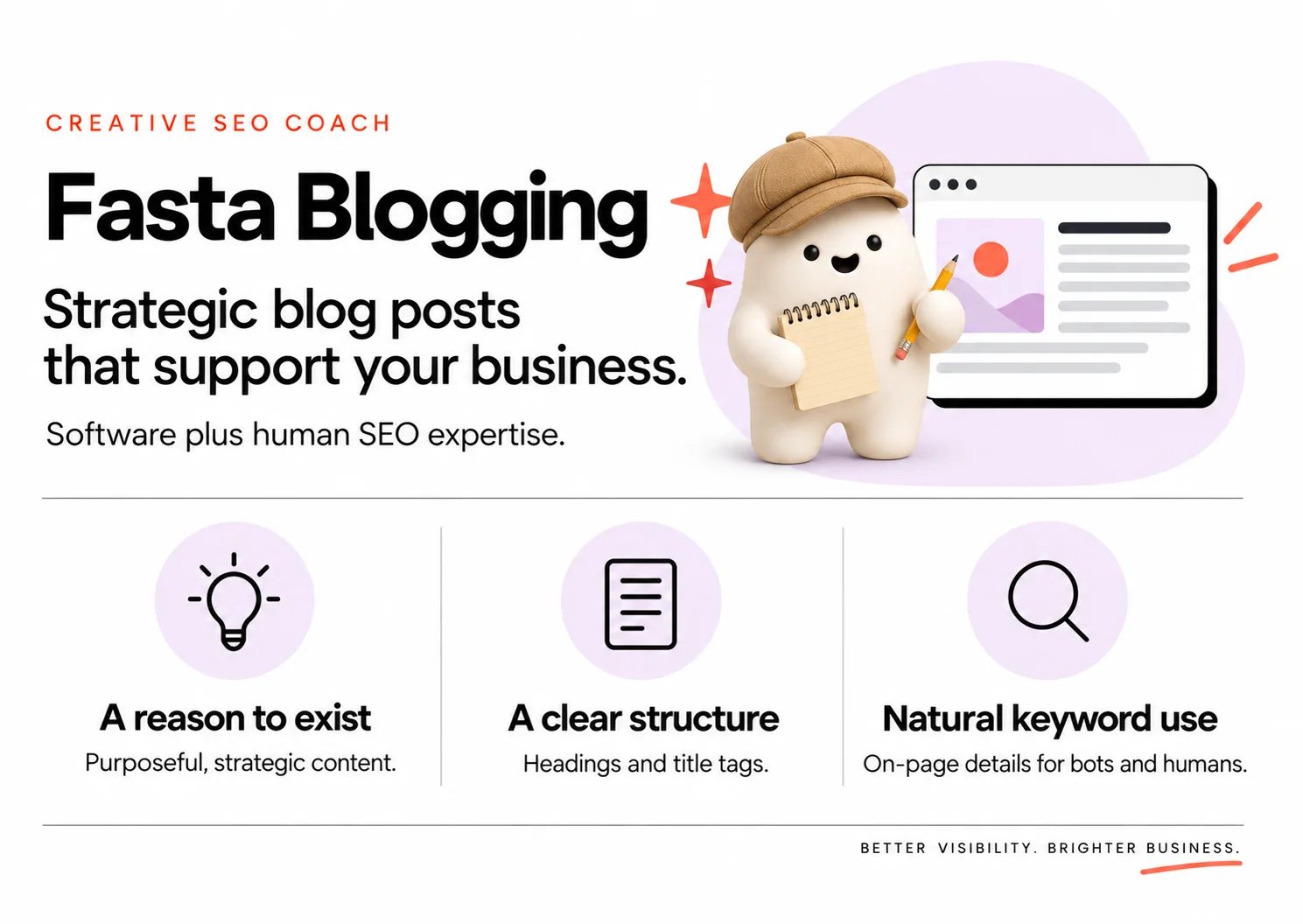
Fasta Blogging: keep SEO growing while you rebrand
Rebrands are a lot.
Photoshoots, copy revisions, design proofs, domain settings, approvals. The first thing that usually gets dropped is regular content.
That is where my service, Fasta Blogging, comes in.
Fasta Blogging is a done-for-you blogging service built to bring clients to your website without adding to your workload.
Every post is built from your expertise, drafted with AI and reviewed by a human SEO specialist before it reaches you.
You get four SEO-led blog posts every month, based on a personalized blogging and topic strategy aligned with your brand and goals.
It costs $125 a month and takes just around 20 minutes of your time.
So while you are deep in approvals, mockups and last-minute copy tweaks, your blog does not sit silent. It keeps publishing helpful, search-friendly posts that support your new positioning and bring in the kind of clients you actually want after your rebrand.
If you are not sure whether to DIY this or get help, I unpack the tradeoffs in more detail in my honest breakdown of whether you actually need an SEO specialist or can DIY it with AI.
Monitor results and tweak your SEO after launch
Once your new site is live, expect a bit of wobble.
Some short-term ranking and traffic fluctuation is normal, especially if URLs or content changed.
Use your earlier audit as your “before” and check in at simple milestones:
- Week 1–2
- Month 1
- Month 3
- Month 6
For each check-in, look at:
- Overall organic traffic trend
- Traffic to your key pages (home, main services, top posts)
- Any big drops or spikes tied to specific URLs
If a page you heavily changed dips a little then climbs back within a few weeks, that can be Google re-evaluating.
If something drops hard and stays low, or disappears completely, that is a flag.
Common things to tweak:
- Strengthen internal links to important pages from your home, services and top posts
- Make sure the page clearly answers the intent it used to rank for
- Check that the old URL properly redirects and is not stuck in a loop or hitting a 404
- Improve the title and opening section so it is more specific and useful
If you see consistent growth or stability over 3–6 months, with your new content starting to rank too, your rebrand has likely settled in well.
If you are on Showit and want a quick outside perspective, you can also check if the platform itself fits your long-term search goals by reading my guide on whether Showit is good for SEO.
You do not have to obsessively watch every tiny movement. Just keep an eye on the big picture and fix clear issues as they appear.
If you want your blog quietly pulling in ideal clients while you focus on design files, approvals and launch, let Fasta Blogging write your posts for you.


