
TLDR: SEO is working when it brings the right people to your site and they turn into real inquiries and bookings. A simple monthly check of organic traffic, key rankings, and leads from search is usually enough to tell if you are on track.
You are not trying to be “good at analytics”.
You are trying to tell if all that blogging, tweaking your Showit pages and paying for help is actually turning into clients.
That is what this guide is for. You will see which numbers to watch, which ones you can ignore, and how to connect the dots between “someone found me on Google” and “someone just booked”.
What does SEO success actually look like?
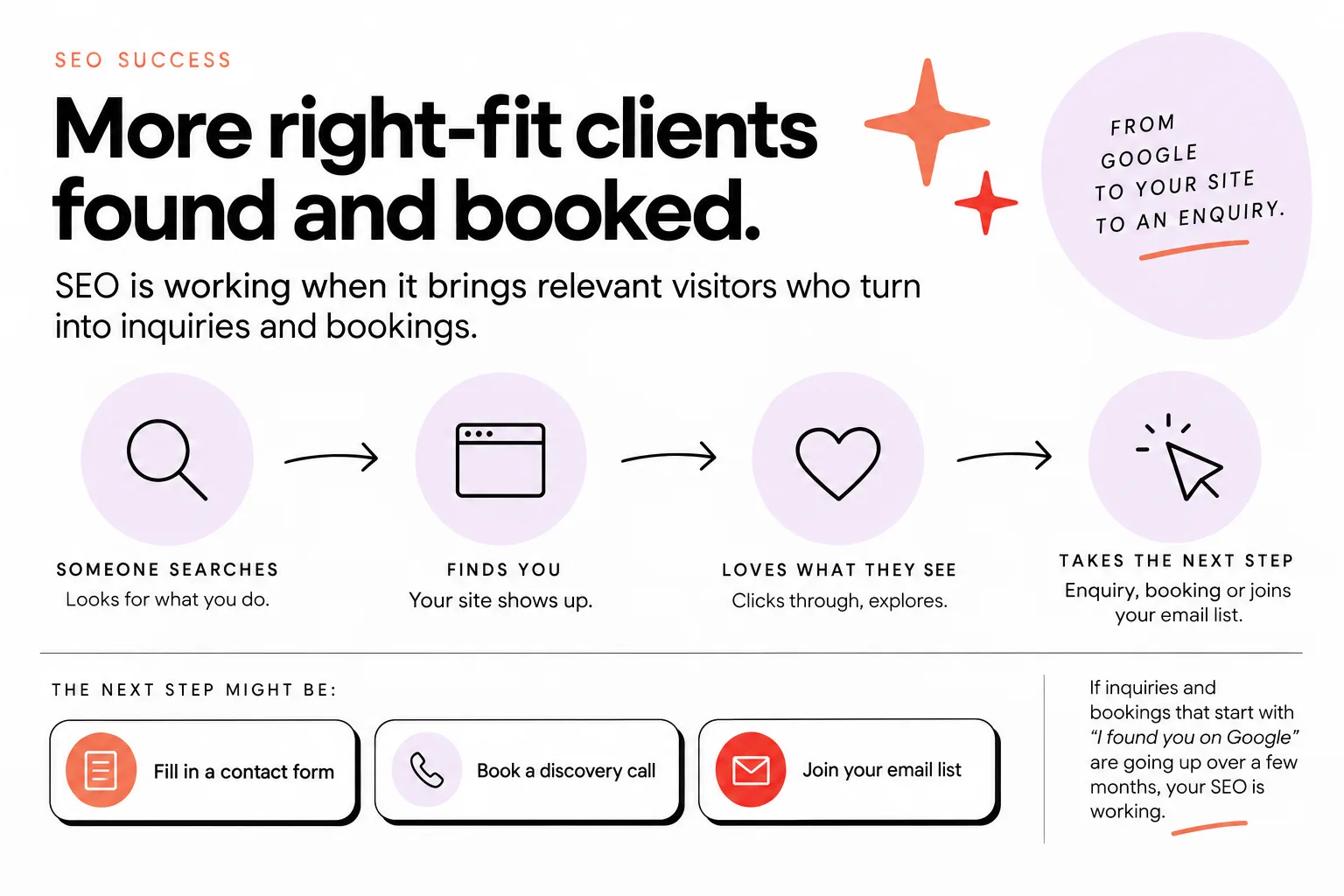
SEO is successful when it reliably brings relevant visitors who turn into inquiries and bookings.
Not when you rank number 1 for something random.
Not when traffic goes up but no one fills in your contact form.
For a creative business website, success usually looks like this:
Someone searches for what you do, finds you, clicks through, loves what they see, and takes the next step.
That “next step” might be:
- Filling out your contact form
- Booking a discovery call
- Joining your email list to get closer to working with you
If your inquiries and bookings that start with “I found you on Google” are going up over a few months, your SEO is working.
If your traffic charts look prettier but your inbox is quiet, that is a warning sign.
So when you think about how to measure SEO success, zoom out from:
“Did my blog post get more views?”
to:
“Did this whole path lead people from Google, to my site, to an enquiry?”
Once you see success as “more right-fit clients found and booked”, the analytics become a tool, not a test.
The core SEO metrics that actually matter
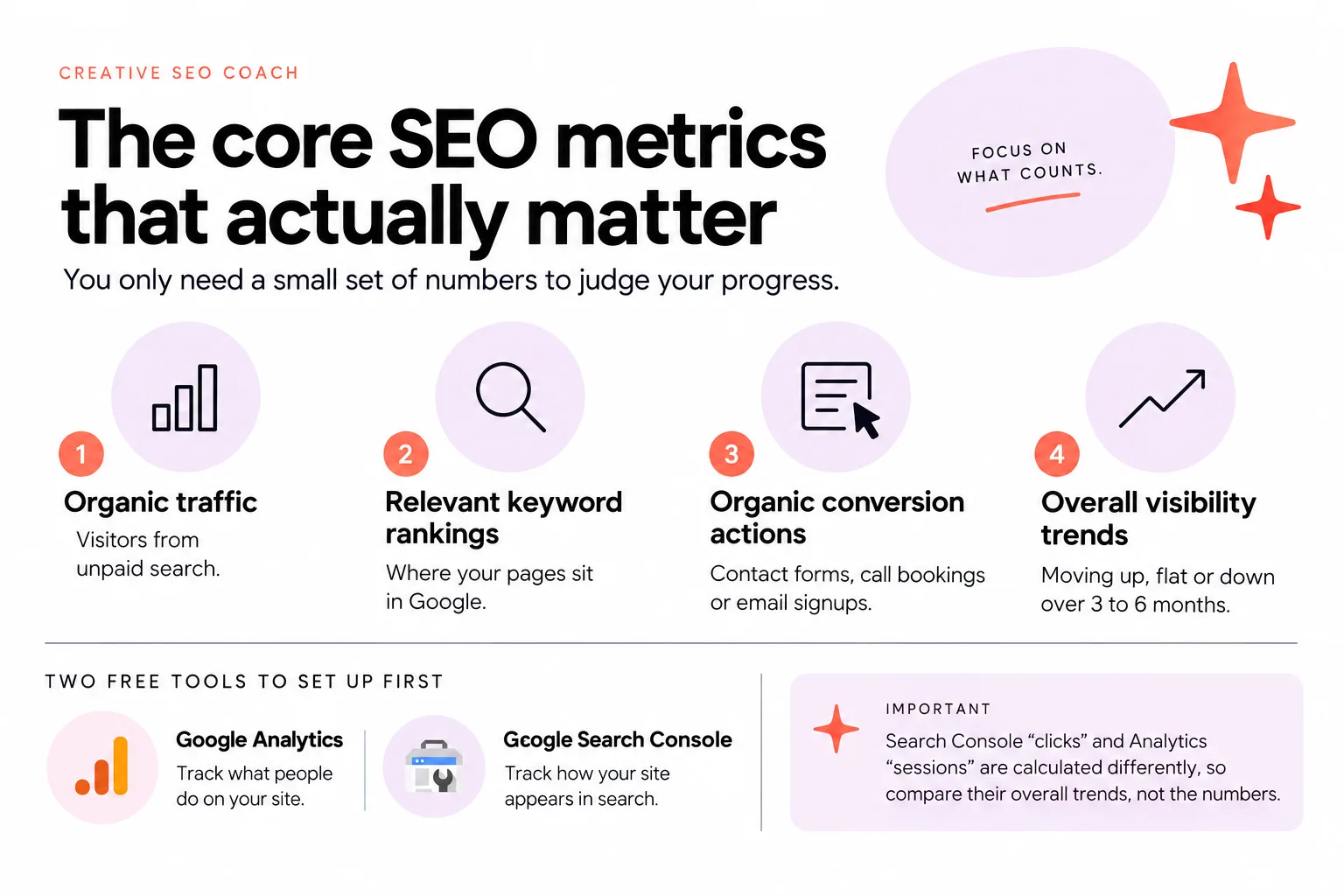
You only need a small set of numbers to judge your progress.
For most creative businesses, the core metrics are:
- Organic traffic
- Relevant keyword rankings
- Organic conversion actions
- Overall visibility trends
That is it.
Before you measure anything, make sure two free tools are set up:
- Google Analytics to track what people do on your site
- Google Search Console to track how your site appears in search
Even if you do not usually check them, they should be in place as a basic foundation.
If you need help with setup for your platform, this guide on how to add Google Analytics to Showit walks you through it.
Once those are running, here is how the core metrics fit together.
Organic traffic is the number of visitors coming from unpaid search results.
Relevant keyword rankings are where your pages sit in Google for phrases your actual clients would type, like “brand photographer in Austin” or “website designer for photographers”.
Organic conversion actions are the things on your site that signal interest or intent, like contact form submissions, call bookings or email signups.
Overall visibility trends are the patterns over time, not the little ups and downs. Is everything moving generally up, flat or down over 3 to 6 months?
One important point: Google explains that Search Console “clicks” and Google Analytics “sessions” are calculated differently, so you should compare their overall trends instead of expecting the numbers to match.
If you can see these four areas and they are gently trending up, your SEO is likely working, even if you do not check every tiny metric.
How to measure organic traffic growth
You measure organic traffic growth by looking at your search visitors over months, not days.
Log into Google Analytics.
Choose a time range of at least the last 3 months. Six or twelve months is even better once you have the data.
Filter to show only traffic from organic search. In the standard reports this often means looking at “Organic Search” as a traffic channel.
Now look at the line chart.
Ask three simple questions:
- Is organic traffic generally higher than it was 3 to 6 months ago?
- Are there clear seasonal patterns that match your work?
- Do any big dips match site changes or quiet marketing months?
If you are in a seasonal industry, like photography or weddings, you will see peaks and dips. That is normal.
The goal is not a perfect straight line up. It is “this year’s busy season is stronger than last year’s” or “my off-season is not as painfully quiet”.
If your organic traffic is flat but inquiries are up, that can still be a win. It might mean your existing traffic is better quality, or your pages now convert better.
If your organic traffic is up but your inquiries are not, take note. That is your cue to look at the next sections: which keywords are bringing people in and what those visitors do next.
You do not need to check this daily.
A quick monthly glance at organic traffic, compared with the same month last year once you have that history, is usually enough to see if what you are doing is working.
How to tell if your keywords are really improving
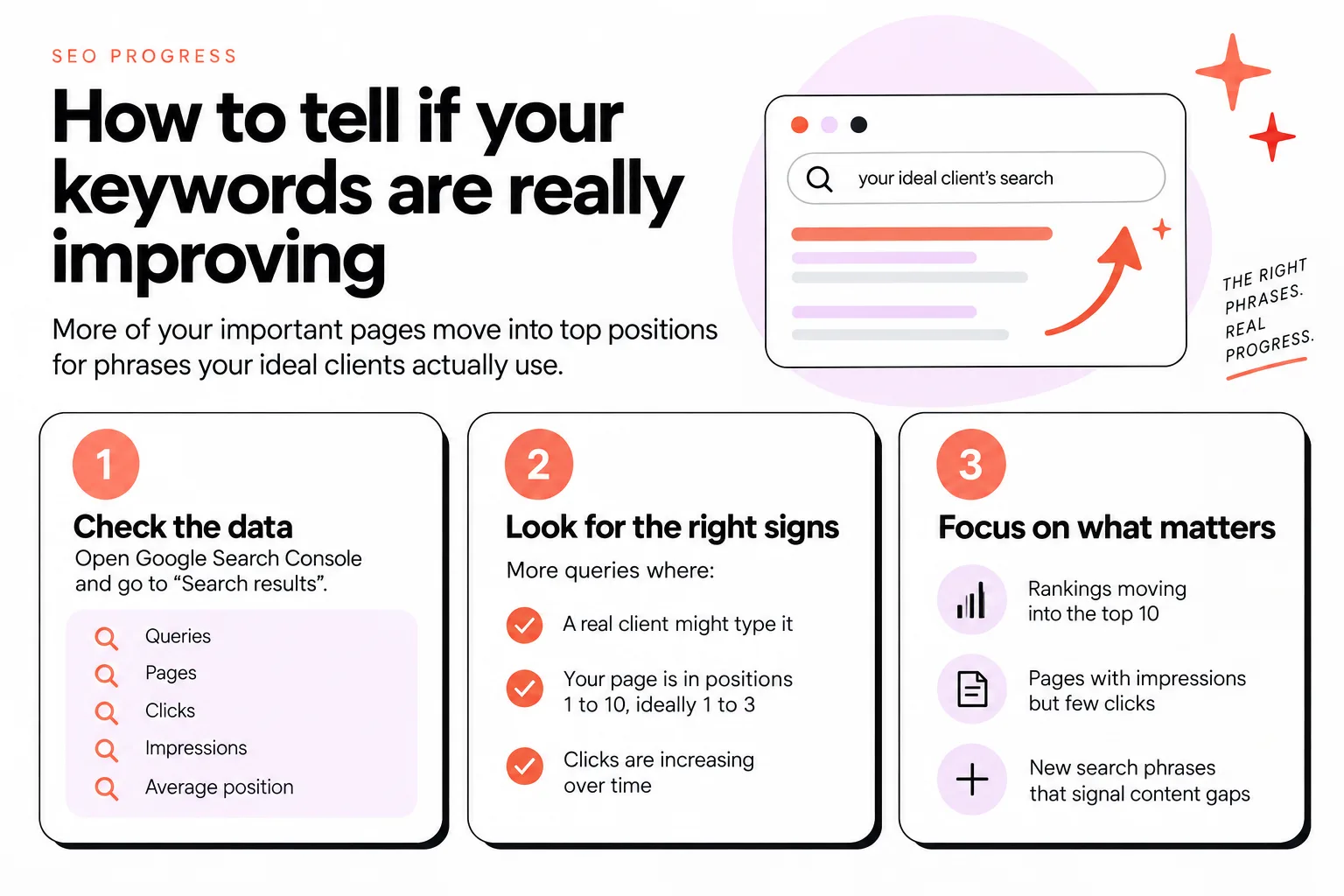
Your keywords are improving when more of your important pages move into top positions for phrases your ideal clients actually use.
Not when a random blog post ranks for a vague phrase.
Open Google Search Console and go to the “Search results” report.
You will see:
- Queries (the phrases people searched)
- Pages
- Clicks
- Impressions
- Average position
Start with your services pages and your highest-intent blog posts.
You want to see more queries where:
- The query is something a real client might type
- Your page is in positions 1 to 10, ideally 1 to 3
- Clicks are increasing over time
For example, a blog post like “What to wear for your brand photoshoot” is useful, but the real win is when your “Brand Photography” services page moves from position 20 to position 5 for “[your city] brand photographer”.
Focus on:
- Rankings that move into the top 10, not every tiny shift
- Pages that bring in impressions but few clicks, which may need better titles and descriptions
- New search phrases that keep appearing and signal content gaps you could fill
Do not obsess over a single vanity keyword that sounds nice but may not bring buyers.
Often, a mix of more specific phrases will quietly bring in better leads, such as “[city] family photographer fall mini sessions” instead of just “photographer”.
When you use blogging strategically, like with posts built to answer client questions and link to your services, you create more chances for those useful phrases. A done-for-you blogging service like Let Fasta Blogging write your posts is designed around that idea, so your content supports your search visibility without eating your week.
Check keyword performance monthly.
Ask: “Are more of my important pages visible for the right phrases? Are clicks from those queries going up?”
If yes, your rankings are improving in a way that actually matters.
Measuring what really counts: leads and bookings
The clearest sign of SEO success is an increase in relevant inquiries, calls or bookings you can trace back to people finding you in search.
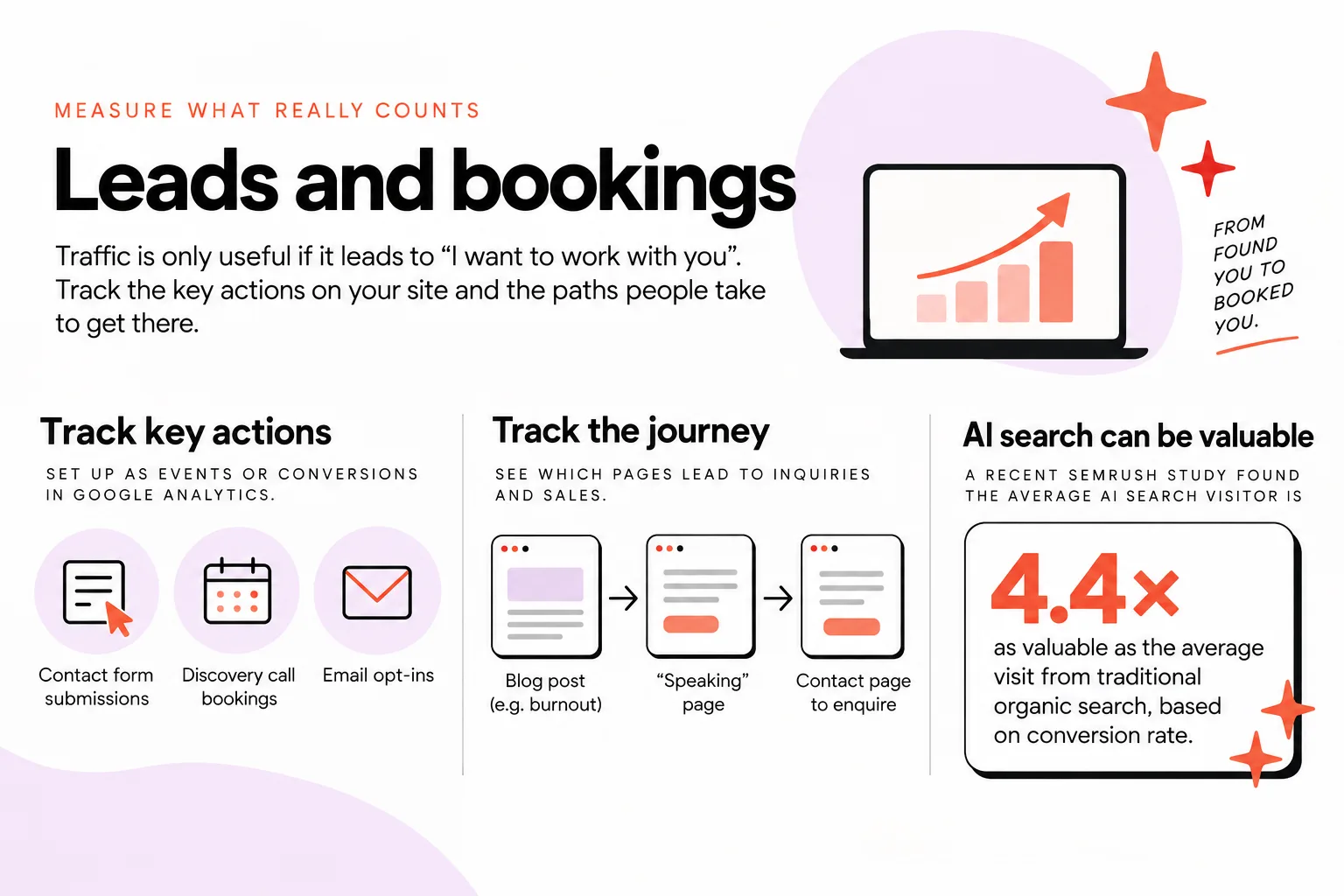
Traffic is only useful if it leads to “I want to work with you”.
Start by tracking the key actions on your site:
- Contact form submissions
- Discovery call bookings
- Email opt-ins that usually lead to sales conversations
In Google Analytics, you can set these up as “events” or conversions.
You can also track paths, such as someone arriving on a blog post, moving to a services page and then to a contact page.
For example, with a burnout speaker client, you might set up tracking so you can see:
- Users coming in on a blog post about burnout
- Then clicking through to a “Speaking” page
- Then visiting the contact page to enquire about a talk
This kind of path tracking shows you which content and pages are actually leading to inquiries and sales, not just hits.
It also fits how people buy now.
Analytics used to show a more linear journey: ad, landing page, purchase.
Today, a typical path might look like:
- Someone finds you on Instagram
- They see you again in an ad
- They read a blog post from Google
- They think about it for a few days
- They come back to your site and finally enquire
Analytics can only see some of that.
So use it to track what you can, especially the key pages people visit before they contact you.
On top of that, pay attention to new search behaviors.
A recent Semrush study on AI search visitors found that the average AI search visitor, tracked to a non-Google search source like ChatGPT, is 4.4 times as valuable as the average visit from traditional organic search, based on conversion rate.
That means visits from AI search tools may be extra valuable where you can see them in your reports as their own traffic source.
You do not have to set all this up alone.
You can use tools like ChatGPT to help you write tracking instructions for your specific setup, or you can hire an SEO specialist to set up the most important paths.
Aim to measure more than single events.
Think about the user journey and which steps matter most before someone buys, then measure those.
The goal is always the same: use your analytics to see which parts of your website actually help people move from “found you” to “booked you”.
Bounce rate, time on site and other engagement signals
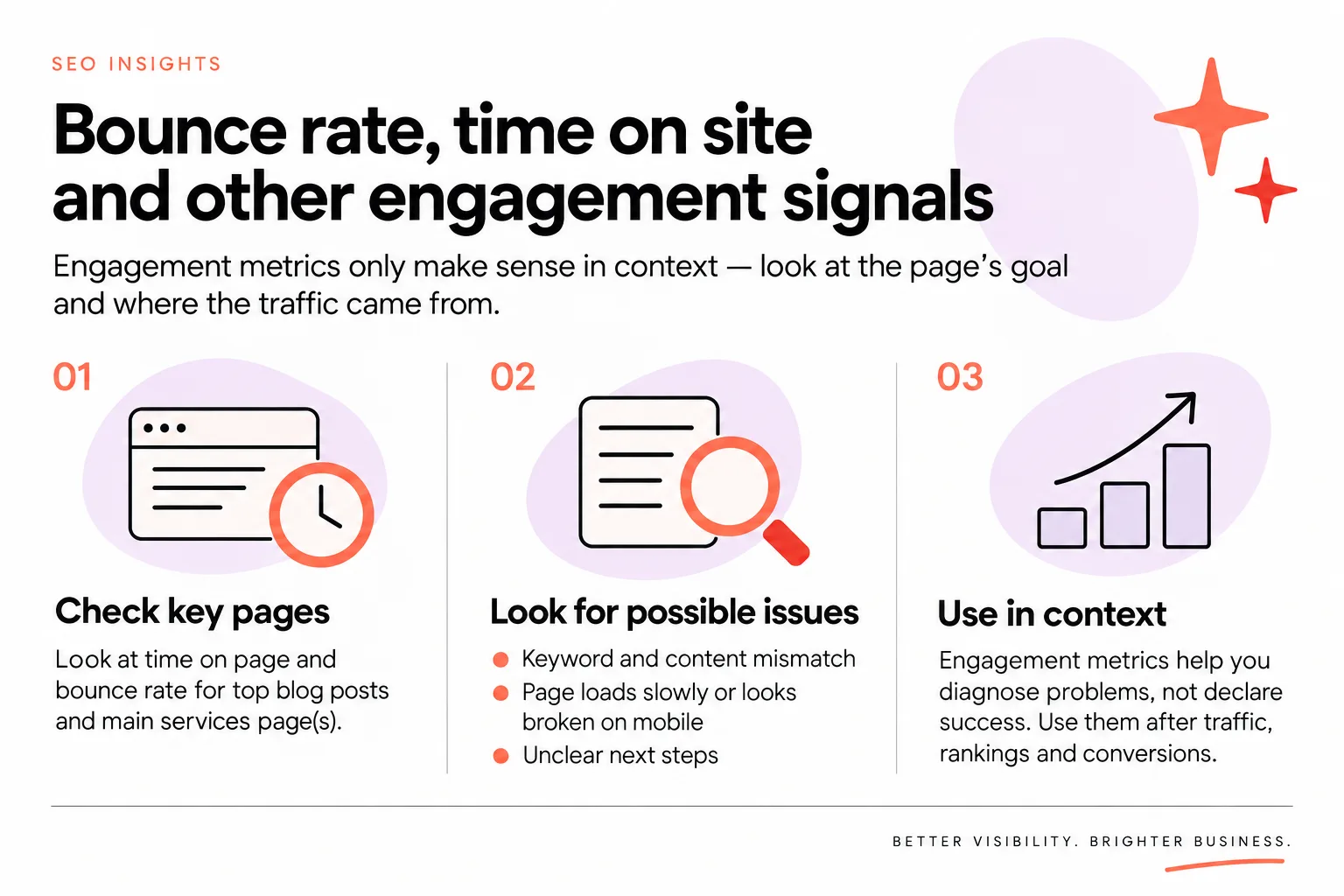
Engagement metrics like bounce rate and time on page only make sense when you read them in context of the page’s goal and where the traffic came from.
A high bounce rate on a long blog post that fully answers a question might be fine. People find it, read it, get what they need and leave.
A high bounce rate on a services page with traffic from search terms that sound like buyers is more worrying.
Start simple.
Look at:
- Time on page and bounce rate for your top blog posts
- The same metrics for your main services page(s)
Ask:
- Do people spend at least some time on your long-form posts, or are they dropping in and out in a few seconds?
- Do services pages keep people long enough to scan your offer and find your contact button?
If you see a page with very little time on page and a high bounce rate from organic search, you may have:
- A mismatch between the keyword and the content
- A page that loads slowly or looks broken on mobile
- Copy that is not clear enough about what to do next
Engagement metrics help you diagnose problems, not declare success.
They are the “why might this page not be working yet” numbers.
Use them after you look at traffic, rankings and conversions, not instead of.
If everything looks healthy but one page has poor engagement, tweak that page.
If engagement across the board is fine but leads are low, your issue is probably visibility or messaging, not “people do not scroll enough”.
Simple SEO success dashboard for creative businesses
You can review your SEO in about 20 minutes a month with a simple dashboard.
Here is a repeatable checklist.
Once a month, look at:
- Organic traffic trend
- Compare this month to last month and the same month last year (when you have that history)
- Check if organic visits are steady or gently rising
- Key rankings
- In Search Console, look at your core services pages and highest-intent blog posts
- Note any movements into the top 10 for important phrases
- Enquiries and bookings from search
- In Analytics, check how many conversions came from organic search
- In your inbox or CRM, count how many inquiries mention Google or found you from a blog post
- One or two engagement checks
- Look at time on page and bounce rate for one main services page and one blog post
- Ask if those numbers make sense based on what the page is supposed to do
Because people move between channels before buying, with paths like Instagram, ads, blog posts and then waiting a few days, your sales journey will usually look messy.
That is normal.
So combine what analytics can show with simply asking every client where they came from and how they heard about you.
You can:
- Add a “How did you hear about me?” question to your intake or contact forms
- Ask on calls or in email when someone enquires
Then compare what people say with what your analytics reports.
If most people tell you “I found you on Google” or “I was reading your blog and then filled out the form”, and your search traffic and search conversions are stable or climbing, your SEO is doing its job.
Remember: the ultimate goal of measuring all this is to connect the data back to sales and bookings, not just traffic charts.
You run a creative business, not a dashboard museum.
Keep your measurement simple, focused and tied to real people paying for your work.
When you are ready to keep your blog filled with strategic content that supports all these metrics without taking over your week, you can Let Fasta Blogging write your posts.


